
Azure IAM RBAC best practices
In the current era of hyper-scale cloud environments, the traditional network-centric security model has been completely upended. For senior cloud architects and cybersecurity specialists, the most pressing business pain point is no longer just the external firewall; it is the identity-centric security perimeter. As organizations migrate complex workloads to the cloud, the sprawl of over-privileged accounts and mismanaged permissions creates a massive blast radius that attackers frequently exploit. Mastering Azure IAM RBAC best practices is the single most effective way to implement a Zero Trust architecture that protects sensitive data while enabling operational agility.
This guide provides a production-ready blueprint for implementing robust identity governance. We will move beyond basic concepts to explore the deep technical architecture of Microsoft Entra ID and how to engineer a hierarchy that scales across thousands of subscriptions without compromising on security or compliance.
Implementing Azure IAM RBAC Best Practices at Scale
To understand the internal working of Azure’s access model, one must look at the relationship between Role-Based Access Control and the underlying resource hierarchy. Azure uses a structured approach where permissions are inherited from higher levels to lower levels. This hierarchy starts at the Management Groups level, flows through Subscriptions, into Resource Groups, and finally down to individual Resources.
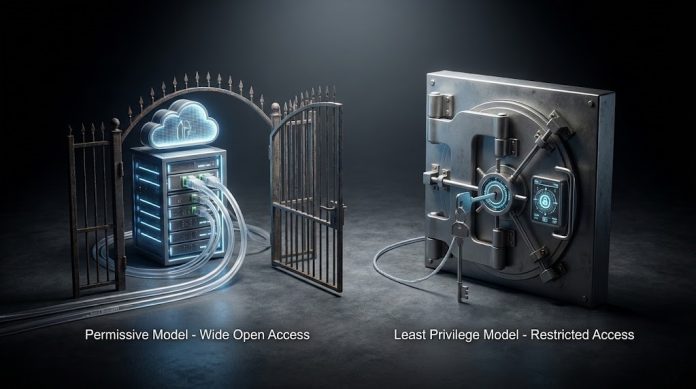
The evaluation logic in Azure is additive. When an identity be it a user, group, or service account attempts to access a resource, Azure collects all the role assignments applied at every level of the hierarchy. If any assignment grants the required permission and there isn’t a specific deny assignment (often used by Azure Blueprints or managed applications), access is granted. This makes the least privilege principle essential; if you grant “Contributor” access at the subscription level, that user effectively has full control over every resource within that subscription, which is a major risk in a production environment.
The Role of Microsoft Entra ID in Identity Governance
Modern cloud identity governance relies on Microsoft Entra ID (formerly Azure AD) to act as the primary source of truth. Unlike the flat policy structures sometimes seen in other providers, Azure encourages a disciplined approach using Managed Identities for service-to-service communication. This eliminates the need for hardcoded credentials in your code, significantly reducing the risk of credential leakage. By utilizing mTLS and identity-based tokens, your microservices can securely interact with databases and storage without ever exposing a secret.
Technical Comparison of Cloud Identity Models
For architects managing a multi-cloud estate, understanding how Azure’s model compares to AWS IAM or GCP IAM is vital for maintaining a consistent security posture.
Cloud Provider IAM Scopes and Structure
| Feature | Azure (Entra ID) | Amazon Web Services (AWS) | Google Cloud (GCP) |
| Primary Hierarchy | Management Groups -> Subscriptions | AWS Organizations -> Accounts | Organization -> Folders -> Projects |
| Permission Format | JSON Role Definitions | JSON Policy Documents | Predefined or Custom Roles |
| Inheritance Logic | Top-down inheritance (Additive) | Policy Evaluation Logic (Allow/Deny) | Hierarchical inheritance (Additive) |
| Temporary Access | Privileged Identity Management (PIM) | IAM Roles (STS tokens) | Service Account Impersonation |
| Identity Types | Users, Groups, SPNs, Managed Identities | Users, Groups, Roles | Users, Groups, Service Accounts |
Why Azure IAM RBAC Best Practices Matter for Zero Trust
A real-world enterprise example involves a global financial services firm that suffered a breach because a developer’s account had “Owner” permissions on a development subscription that was peered with a production network. The attacker moved laterally from the dev environment into the production database. Had the organization followed Azure IAM RBAC best practices, they would have implemented Privileged Identity Management (PIM) to ensure that “Owner” or “Contributor” roles were only active during a specific change window.
In this scenario, the identity-centric security perimeter would have required the developer to justify the elevation of privileges through a Just-In-Time (JIT) request, likely requiring MFA and manager approval. This drastically reduces the window of opportunity for an attacker even if they compromise a set of credentials.
Comparison of Built-in Roles vs. Custom Roles
| Role Type | Best Used For | Risk Level | Recommendation |
| Owner | Full access + Role assignment | Critical | Limit to <3 people per subscription. |
| Contributor | Full access (no role assignment) | High | Use for automation service principals. |
| Reader | View only access | Low | Default for support staff and auditors. |
| Custom Roles | Specific, granular tasks | Low/Medium | Use for the least privilege principle. |
Security, Compliance, and Risk Management
From a compliance perspective (GDPR, HIPAA, SOC2), you must prove that access to sensitive data is audited and restricted. Azure’s Audit Logs and Activity Logs provide the necessary telemetry to track every role assignment and permission change. When engineering for high-security environments, always consider the following:
-
Encryption at Rest and in Transit: While RBAC controls who can see the data, encryption ensures that the data itself is unreadable if the underlying storage is compromised. Ensure your managed identities have access to the Azure Key Vault to retrieve keys dynamically.
-
Segregation of Duties: Ensure that the person who develops the code is not the same person who can approve access to the production environment. This is a core tenant of Azure IAM RBAC best practices.
-
Conditional Access Policies: Layer your RBAC with Conditional Access. For example, you can mandate that a user can only exercise their “Contributor” role if they are on a compliant device and connecting from a known corporate IP range.
Production Recommendations and Common Mistakes
Many cloud engineers fall into the trap of “Role Creep,” where users accumulate permissions over years and never lose them. This is where Access Reviews become a critical part of your governance framework.
The Cloud Architect’s Checklist for RBAC
| Strategy | Actionable Step | Frequency |
| Least Privilege | Audit all ‘Owner’ roles and downgrade to ‘Contributor’ or ‘Custom’. | Quarterly |
| PIM Activation | Move all permanent admin assignments to ‘Eligible’ in PIM. | Immediate |
| Group-Based Access | Stop assigning roles to individuals; assign them to Security Groups. | Continuous |
| Managed Identities | Replace Service Principal Client Secrets with Managed Identities. | During Refactor |
| Access Reviews | Automate reviews for all guest users and high-privilege roles. | Every 6 Months |
Common Mistakes to Avoid
-
Using Global Administrator for everything: The Global Administrator role in Entra ID should be reserved for identity-level changes, not for managing virtual machines. Use the specific RBAC for microservices security roles instead.
-
Hardcoding Service Principal Secrets: This is a leading cause of breaches. Always prefer System-Assigned or User-Assigned Managed Identities.
-
Ignoring the Root Management Group: Permissions applied at the root management group affect every subscription in the tenant. Be extremely careful with assignments at this level as it can broaden the IAM blast radius significantly.
Conclusion: Securing the Future of Cloud Identity
In summary, implementing Azure IAM RBAC best practices is not a one-time setup but a continuous cycle of auditing, refining, and automating. By embracing a Zero Trust mindset where you never trust and always verify you can build an infrastructure that is both resilient to attacks and compliant with global standards. Moving toward Just-In-Time privileged access and identity protection ensures that your organization remains agile without sacrificing its security posture.
As you look toward 2026, the integration of AI-driven threat detection and automated access certification will become the norm. Start today by reviewing your high-privilege assignments and moving toward a more granular, group-based access model.
Would you like me to generate a custom JSON template for a granular “Security Auditor” role tailored to your specific compliance needs?