
AWS root account security checklist 2026
The integrity of a cloud-native ecosystem is only as robust as its most privileged entry point. In the modern threat landscape of 2026, where sophisticated identity-based attacks and automated credential stuffing are rampant, the root user of your cloud infrastructure represents a “god-mode” vulnerability that requires specialized governance. Every Chief Information Security Officer (CISO) understands that a compromise at the root level bypasses every internal security group, encryption key, and identity boundary you have painstakingly built. This AWS root account security checklist is designed to provide senior cloud architects and security engineers with a production-ready framework to transition from a vulnerable legacy setup to a hardened, enterprise-grade identity posture. By implementing these measures, organizations can significantly reduce their blast radius and ensure that their management account the cornerstone of their entire AWS Organizations hierarchy remains an impenetrable fortress.
Why an AWS root account security checklist is the Foundation of Cloud Governance
The root user is the identity that is created when the AWS account is first opened. It has complete, unrestricted access to all resources and services within that specific account. Unlike standard Identity and Access Management (IAM) users, the root user’s permissions cannot be restricted by IAM policies, even those that contain an explicit “Deny” statement. This inherent lack of boundary is precisely why an AWS root account security checklist is categorized as a mission-critical priority. In a real-world enterprise scenario, if an attacker gains access to these credentials, they can delete backups, change billing information, and permanently lock legitimate administrators out of the environment. Hardening this account is not just a technical task; it is a fundamental business continuity requirement that protects your brand’s reputation and financial stability.
Deep Dive into the Technical Architecture of an AWS root account security checklist
To understand the necessity of this AWS root account security checklist, we must analyze the underlying identity architecture of a cloud environment. In the AWS ecosystem, the root user stands outside the standard IAM evaluation logic. When a request is made, AWS first checks for identity-based policies, then resource-based policies, and finally permission boundaries. However, for the root user, this entire evaluation is bypassed because the identity itself is the owner of the resource. This “superuser” status necessitates a shift from permission-based security to access-based isolation.
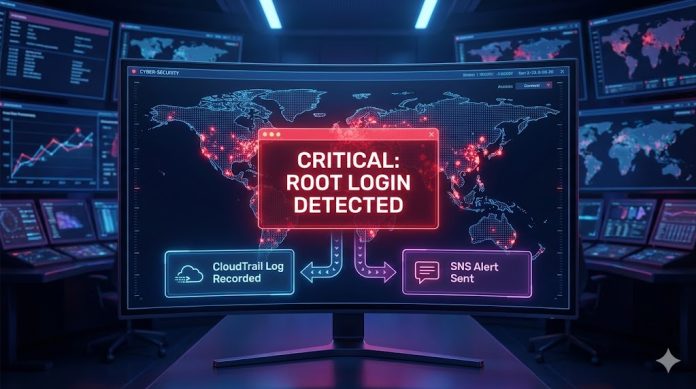
The internal working of a secure root posture involves the complete removal of day-to-day utility. An end-to-end cloud-native flow for a newly provisioned account should involve logging in via root exactly once to create an initial IAM administrative user or set up AWS IAM Identity Center (formerly AWS Single Sign-On). Once this bridge is established, the root credentials should be treated as “break-glass” tokens stored in a physical safe and monitored with high-fidelity alerting systems like AWS GuardDuty and CloudTrail. This architecture ensures that any attempt to log in as root is treated as a high-severity incident by default.
Comparative Identity Hierarchy for Enterprise Security
| Identity Type | Permissions Scope | Policy Restrictions | Recommended Use Case |
| Root User | Absolute & Unrestricted | Cannot be limited by IAM | Account deletion, billing changes only |
| IAM Administrator | Near-Total (Managed) | Restricted by SCPs/Boundaries | Infrastructure as Code (IaC) pipelines |
| Federated User | Role-Based (Least Privilege) | Fully restricted by IAM/SCPs | Day-to-day engineering and operations |
| Service Account | Task-Specific | Highly granular restrictions | Application-to-Application communication |
Real-World Use Cases: Securing the Management Account at Scale
When scaling to thousands of accounts via AWS Organizations, the complexity of maintaining an AWS root account security checklist grows exponentially. Enterprises often face a “management account sprawl” where various teams have used the root user for legacy integrations. In 2026, the industry standard is to utilize AWS Control Tower to automate the hardening of new accounts. By deploying a “landing zone,” organizations can enforce preventive guardrails that block the creation of root access keys across every member account.
For instance, during a major merger and acquisition (M&A) event, a global financial services firm might inherit dozens of poorly secured AWS accounts. The primary step in their integration playbook is the immediate execution of a root account security audit. This involves rotating existing passwords, enabling hardware multi-factor authentication, and updating the security contact information to a shared corporate alias. This ensures that account recovery doesn’t depend on a single individual who may have left the company, a common risk in fast-moving tech environments.
MFA Hardware Options for Root Account Hardening
| Device Category | Security Level | Portability | Recommended Strategy |
| FIDO2 Hardware Key | Maximum (Phishing-Resistant) | High | Primary root MFA for production accounts |
| TOTP Hardware Token | High (Offline) | Medium | Backup root MFA stored in a secure vault |
| Virtual MFA App | Standard (Vulnerable to SIM/Device) | High | Temporary use only; avoid for root accounts |
| SMS/Phone MFA | Not Supported by AWS for Root | N/A | Never use for privileged cloud access |
Tools and Platform Comparison: Root Protection in Multi-Cloud
While this guide focuses on the AWS root account security checklist, a modern security specialist must understand how this compares to Azure and GCP. In Azure, the “Global Administrator” is the equivalent of a root user, but it is managed through Entra ID (Azure AD), which allows for Just-In-Time (JIT) access and Privileged Identity Management (PIM). GCP uses a “Project Owner” or “Organization Admin” model, where the organization resource acts as the ultimate root.
The primary difference is that AWS root accounts are decentralized by default; each account has its own root identity. This makes the AWS root account security checklist even more critical because there is no single “delete” button for all root users across a multi-account organization. You must manage them through AWS Organizations Service Control Policies (SCPs) to limit what they can do, though SCPs famously do not apply to the root user of the management account itself. This is why the management account root user is the single most sensitive credential in your entire cloud estate.
Multi-Cloud Privileged Identity Comparison
| Feature | AWS Root Account | Azure Global Admin | GCP Org Admin |
| Centralized Control | Via AWS Organizations | Via Entra ID Tenants | Via Resource Hierarchy |
| Just-In-Time Access | No (Break-glass only) | Yes (via PIM) | Yes (via Privileged Access) |
| Hardware MFA Support | Native (FIDO2/TOTP) | Native (FIDO2/Hello) | Native (Titan/FIDO2) |
| Policy Override | Unrestricted access | Can be audited/restricted | Restricted by IAM |
Security, Compliance, and Risks: Protecting the Keys to the Kingdom
Compliance frameworks such as SOC2, PCI-DSS, and HIPAA strictly mandate that administrative access must be logged, audited, and protected by multi-factor authentication. Failing an audit often comes down to a lack of evidence that the root account has been dormant. A robust AWS root account security checklist ensures that you have AWS CloudTrail enabled globally with “Data Events” and “Management Events” being sent to an immutable S3 bucket in a separate logging account.
The risk of shared root credentials cannot be overstated. When multiple engineers know the password to a root account, non-repudiation is lost. If a critical resource is deleted by the root user, you cannot prove who performed the action. By following identity and access management best practices, you ensure that the root account password is split into fragments and stored across multiple physical locations (e.g., a physical safe and a digital vault like HashiCorp Vault or AWS Secrets Manager with restricted access).
Preventive vs Detective Guardrails for Root Security
| Guardrail Type | Implementation Tool | Action | Benefit |
| Preventive | Service Control Policies (SCPs) | Deny root credential usage | Stops the attack before it happens |
| Detective | AWS Config / GuardDuty | Alert on root login events | Real-time visibility into breaches |
| Detective | CloudWatch Alarms | Notify SNS topic on root activity | Immediate incident response trigger |
| Preventive | IAM Identity Center | Federate all admin access | Eliminates the need to log in as root |
Best Practices and Production Recommendations: The 2026 Checklist
To implement an enterprise-ready AWS root account security checklist, start with the “Rule of Zero.” There should be zero root access keys in your entire organization. If you find programmatic keys for a root user, they must be deleted immediately. These are static credentials that, if leaked in a public GitHub repository or a developer’s local environment, provide an attacker with unrevokable access.
-
Hardware Multi-Factor Authentication (MFA): Mandatory for the root account. Use two separate hardware keys (Primary and Backup) and store the backup in a geographically distinct physical safe.
-
Delete Root Access Keys: Navigate to the “Security Credentials” page and ensure no access key IDs are listed for the root user.
-
Update Security Contacts: Ensure the security, billing, and technical contacts are set to distribution lists (e.g.,
[email protected]) rather than personal emails. This prevents a “locked-out” scenario during personnel changes. -
Secure Account Recovery: Maintain a dedicated, physical SIM card for the account recovery phone number. Store this phone in a secure location, as it can be used to bypass password resets.
-
Enable Root Monitoring: Create a CloudWatch metric filter that triggers an SNS alert whenever the “https://www.google.com/search?q=signin.amazonaws.com” event for the “Root” user is detected in CloudTrail.
-
Complex, Unique Passwords: Use a 64-character randomized password stored in an enterprise password manager that requires multi-party approval to retrieve.
-
Limit Management Account Workloads: Never run production applications in the management account. Keep it clean for billing and organizational governance only.
Conclusion: Securing the Future of Your Cloud Infrastructure
Hardening your cloud environment begins and ends with the protection of the superuser identity. By diligently following this AWS root account security checklist, you aren’t just checking a box for compliance; you are building a resilient foundation that allows your engineering teams to innovate with confidence. The transition to a zero-trust model requires that every identity, especially the most powerful ones, is subject to rigorous monitoring and hardware-backed security. Secure your root account today, move your administrators to federated roles, and ensure that the keys to your digital kingdom are under lock and key.
Ready to automate your cloud security? Contact our senior architecture team to implement a customized AWS Control Tower landing zone and harden your multi-account identity posture today.
External Authority Links: