
Create a Kubernetes Cluster in Azure
Introduction
In this article, we’ll explore how to create a highly available Kubernetes cluster using availability zones in Azure. When you deploy an Azure Kubernetes Service (AKS) cluster without availability zones, the nodes and storage are confined to a single datacenter within a region. While this configuration provides fault and update domain protection within the datacenter, it does not safeguard against the unlikely event of a datacenter outage.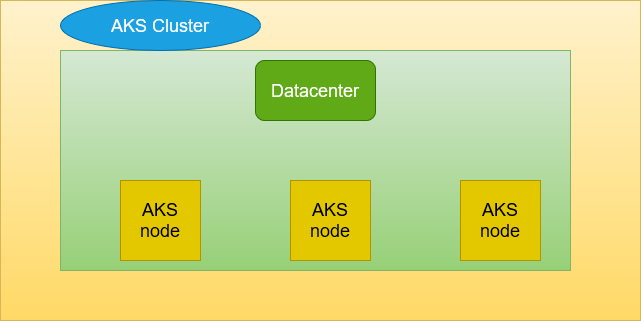
By leveraging availability zones, which are unique physical locations within an Azure region, you can distribute your Kubernetes cluster’s nodes across multiple zones. This ensures that your workloads remain operational even if one or more datacenters fail.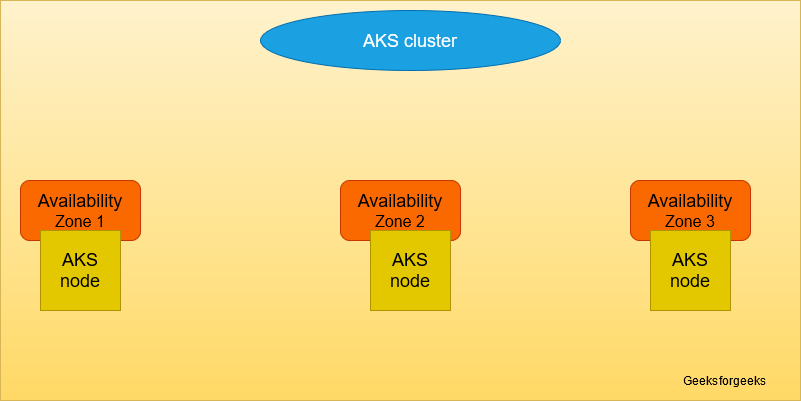
What are Availability Zones?
Availability zones are physically separated locations within an Azure region. Each zone has its own independent power, cooling, and networking to protect resources against datacenter failures. With availability zones:
- Nodes and storage are distributed across datacenters.
- Applications gain high availability and fault tolerance.
When used with AKS, availability zones make your Kubernetes cluster resilient to datacenter-level failures by ensuring that nodes and workloads are spread across multiple zones.
Key Features of Availability Zones for Kubernetes Cluster
- High Availability
Workloads continue running even if one zone fails within the region. - Fault Isolation
Nodes are spread across zones, ensuring that the impact of hardware failures is minimized. - Resilience to Regional Failures
With redundant power and networking, workloads remain resilient in case of major outages. - Node Zone Distribution
Nodes are automatically distributed across specified availability zones using the--node-zonesparameter. - Seamless Integration with Azure Services
Azure Load Balancer and managed disks work seamlessly with AKS and availability zones. - Scalability
Easy to scale clusters while maintaining zone-level redundancy.
How to Create a Kubernetes Cluster with AZ in Azure
Here’s how to create an AKS cluster with availability zones using Azure Cloud Shell.
Step 1: Open Azure Cloud Shell
- Navigate to shell.azure.com.
- Use the latest version of the Azure CLI for the commands below.
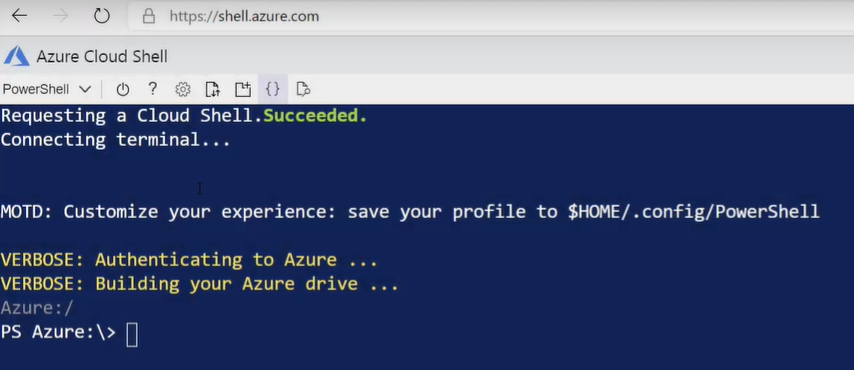
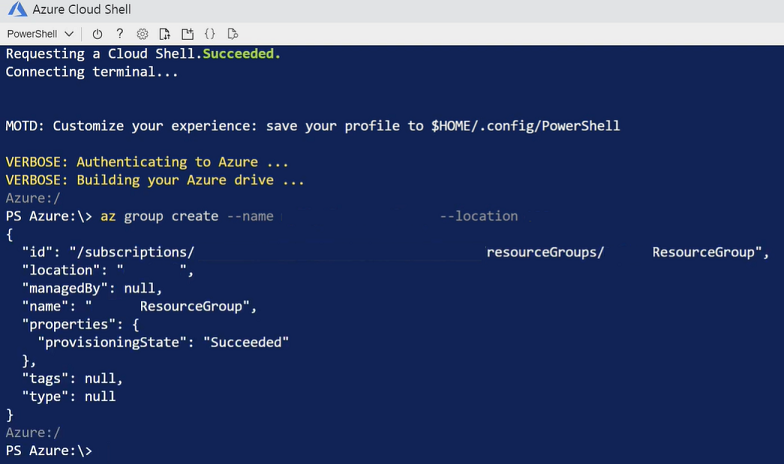
Step 2: Create a Resource Group
Run the following command to create a resource group for your Kubernetes cluster:
 Step 3: Create the Kubernetes Cluster
Run the following command to create the cluster with nodes distributed across availability zones:
az aks create \
--resource-group <YOUR_RESOURCE_GROUP> \
--name <YOUR_CLUSTER_NAME> \
--generate-ssh-keys \
--enable-vmss \
--load-balancer-sku standard \
--node-count <NUMBER_OF_NODES> \
--node-zones <ZONE_1> <ZONE_2> <ZONE_3> Specifies the zones across which the nodes will be distributed (e.g.,
 1 2 3).--enable-vmss: Enables Virtual Machine Scale Sets (VMSS) for node scaling.--load-balancer-sku standard: Configures a zone-redundant load balancer for your cluster.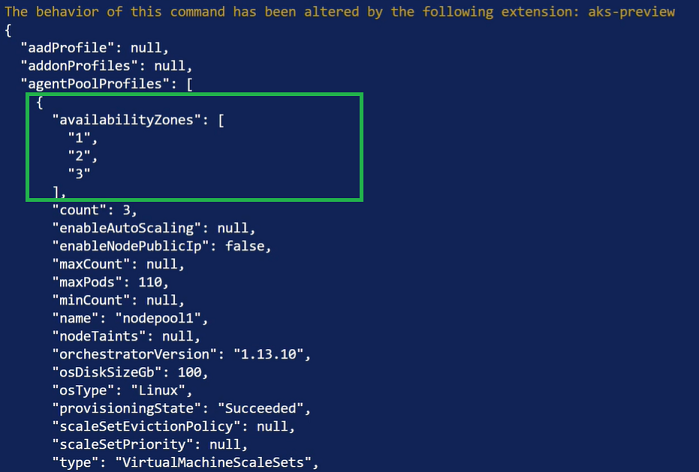
Step 4: Verify Node Distribution
Run the following command to confirm that nodes are distributed across availability zones:
- Increased Resilience
Protects against hardware and datacenter-level failures by distributing workloads across multiple zones. - Enhanced High Availability
Ensures uninterrupted service availability even in the event of a single-zone outage. - Scalability with Reliability
Add or remove nodes across zones without compromising cluster reliability. - Better Load Distribution
Zone-redundant load balancers evenly distribute traffic across zones. - Seamless Recovery
Simplifies disaster recovery by minimizing downtime during a zone failure.
Disadvantages of Using Availability Zones
- Increased Cost
Deploying across multiple zones may incur higher networking and storage costs. - Complex Management
Managing clusters across zones adds complexity in configuration and monitoring. - Latency Concerns
Communication between nodes in different zones may introduce slight latency. - Limited Zone Availability
Availability zones are not supported in all Azure regions.
Best Practices for Using Availability Zones in AKS
- Choose the Right Azure Region
Ensure the region supports availability zones (e.g., East US, West Europe). - Use Standard Load Balancers
Always use thestandardSKU for load balancers to distribute traffic across zones effectively. - Monitor Node Distribution
Regularly check that nodes are evenly distributed across zones to avoid imbalances. - Enable Auto-Scaling
Use Virtual Machine Scale Sets (VMSS) to dynamically scale nodes based on workload demands. - Plan for Failures
Test your cluster’s resilience by simulating node or zone failures to ensure workloads shift seamlessly. - Optimize Costs
Monitor and control costs by balancing zone redundancy with your application’s availability requirements.
Troubleshooting Steps
If you encounter issues while creating or managing a Kubernetes cluster with availability zones, use the following steps:
1. Verify Node Zone Assignment
Run the command below to check node distribution across zones:
2. Check Azure CLI Version
Ensure you’re using the latest version of the Azure CLI:
Update the CLI if necessary
3. Inspect Kubernetes Configuration
Check the configuration file (kubeconfig) for errors:
4. Validate Resource Group and Location
Ensure the resource group and location support availability zones:
5. Check Load Balancer Configuration
Confirm that the load balancer is using the standard SKU:
6. Monitor Cluster Health
Use Azure Monitor to track the health and performance of your Kubernetes cluster.
7. Recreate Cluster if Necessary
If issues persist, delete the existing cluster and recreate it with corrected configurations:
Key Takeaways
- Improved Availability: Availability zones enhance the resilience of Kubernetes clusters by protecting against datacenter failures.
- Ease of Scaling: With VMSS and load balancers, scaling is seamless across zones.
- Cost Considerations: Ensure that added availability justifies the increased cost.
- Proactive Monitoring: Regularly monitor cluster health and node distribution for optimal performance.
Conclusion
Availability zones in Azure provide an excellent way to make your Kubernetes cluster highly available and resilient. By distributing workloads across multiple datacenters within a region, you can ensure business continuity even during unexpected failures. While availability zones add some cost and complexity, their benefits in terms of resilience and reliability far outweigh these challenges.
Start building your highly available Kubernetes clusters today by following the steps outlined in this guide. For more advanced configurations and best practices, visit the official Azure Kubernetes Service documentation.