
Introduction
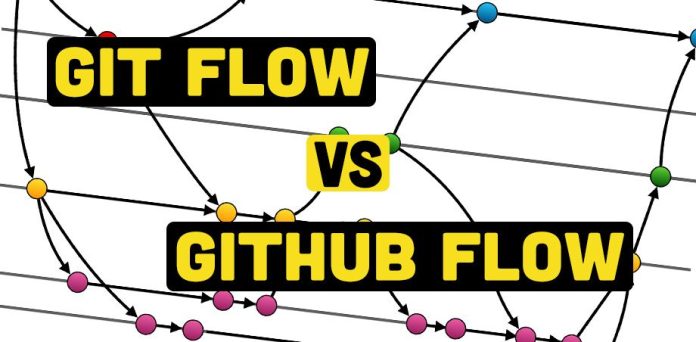
When working with Git, choosing the right workflow is essential for efficient version control and team collaboration. Three common Git workflows—Git Flow, GitHub Flow, and GitLab Flow—help developers manage code changes effectively. Each workflow has its advantages and best-use scenarios, depending on project size, release strategy, and collaboration requirements.
In this article, we’ll explore the key differences between Git Flow, GitHub Flow, and GitLab Flow, their use cases, pros and cons, and which one best fits your project.
What Are Git Workflows?
A Git workflow is a defined branching strategy that determines how developers collaborate on a codebase. It establishes rules for branching, merging, and deploying changes efficiently.
The three most commonly used workflows are:
- Git Flow – A structured approach using multiple long-lived branches.
- GitHub Flow – A simpler workflow focused on continuous integration and delivery.
- GitLab Flow – A hybrid approach balancing structured releases and CI/CD.
Let’s dive deeper into each of these workflows.
Git Flow: Structured and Release-Oriented
Git Flow is a branching model introduced by Vincent Driessen. It is ideal for projects that require multiple releases, versioning, and long-term maintenance.
Key Features
- Uses two main branches:
main(stable code) anddevelop(ongoing development). - Feature development happens in separate feature branches, which merge back into
develop. - Release branches are created from
developbefore a stable release. - Hotfix branches allow emergency fixes directly on
main.
Git Flow Process
- Create a feature branch from
developfor new functionality.git checkout -b feature-branch develop - Work on the feature and merge it back into
develop.git checkout develop git merge feature-branch git branch -d feature-branch - Create a release branch before a new release.
git checkout -b release-branch develop - Merge the release branch into both
mainanddevelopafter testing.git checkout main git merge release-branch git checkout develop git merge release-branch - For emergency fixes, create a hotfix branch from
main.git checkout -b hotfix-branch main
Pros and Cons of Git Flow
| Pros | Cons |
|---|---|
| Well-structured process | Complex for small teams |
| Useful for versioning and long-term projects | Requires frequent merges |
| Supports parallel development of features, releases, and hotfixes | Slower integration due to multiple branches |
Best For: Large teams, enterprise applications, projects with scheduled releases.
GitHub Flow: Simplicity and CI/CD
GitHub Flow is a lightweight workflow designed for fast-paced development with continuous integration and deployment (CI/CD). It is widely used in open-source projects and startups that prioritize speed and agility.
Key Features
- Only one main branch (
main), with short-lived feature branches. - Developers create a feature branch, commit changes, open a pull request (PR), and merge it back into
mainonce reviewed. - Each merge triggers automatic deployments (CI/CD).
GitHub Flow Process
- Create a new feature branch from
main.git checkout -b feature-branch main - Work on the feature and commit changes.
git add . git commit -m "Added new feature" - Push the branch to GitHub and open a Pull Request (PR).
git push origin feature-branch - After approval, merge it into
mainand deploy.git checkout main git merge feature-branch git push origin main
Pros and Cons of GitHub Flow
| Pros | Cons |
|---|---|
| Simple and easy to use | No dedicated release management |
| Great for fast-moving projects | Not ideal for projects needing versioning |
| Supports CI/CD with quick deployments | Can lead to instability if not monitored |
Best For: Small to medium teams, startups, open-source projects, and CI/CD-focused development.
GitLab Flow: A Hybrid Approach
GitLab Flow combines the best aspects of Git Flow and GitHub Flow. It introduces environment-based branches to better integrate CI/CD and issue tracking.
Key Features
- Uses
mainand environment branches (staging,production). - Developers merge features into a staging branch before deploying to production.
- Issue tracking and merge requests integrate well with GitLab’s CI/CD tools.
GitLab Flow Process
- Create a feature branch from
main.git checkout -b feature-branch main - Merge the feature into the
stagingbranch for testing.git checkout staging git merge feature-branch - Deploy to production by merging into
main.git checkout main git merge staging - Use GitLab CI/CD pipelines to automate testing and deployment.
Pros and Cons of GitLab Flow
| Pros | Cons |
|---|---|
| Balances structure and flexibility | More complex than GitHub Flow |
| Integrates well with GitLab CI/CD | Requires environment management |
| Allows better tracking of deployments | May not be ideal for very small teams |
Best For: Teams using GitLab, enterprise projects, and projects requiring structured CI/CD.
Comparison: Git Flow vs GitHub Flow vs GitLab Flow
| Feature | Git Flow | GitHub Flow | GitLab Flow |
|---|---|---|---|
| Branching Model | Multiple long-lived branches | Simple branching with short-lived branches | Environment-based branches |
| Release Management | Dedicated release and hotfix branches | Continuous deployment after merging | Controlled deployments |
| Ideal For | Large teams, structured releases | Fast-moving, CI/CD-focused teams | Teams using GitLab with CI/CD |
| Complexity | High | Low | Medium |
| Best Use Cases | Enterprise projects, version-controlled software | Open-source projects, quick deployments | CI/CD-driven development |
Additional Topics Covered
- Git vs GitHub Flow: Git is the underlying version control system, while GitHub Flow is a workflow designed for teams using GitHub.
- Git Flow vs GitHub Flow vs GitLab Flow vs Trunk-Based Development: Trunk-based development follows a single branch approach, with developers committing directly to
main. - Git Flow vs Trunk-Based Development: Git Flow is structured, while Trunk-Based Development focuses on immediate integration into
main. - Git Flow vs GitHub Flow vs GitLab Flow with Jenkins CI/CD: Jenkins can be used with any Git workflow for continuous integration.
Conclusion: Which Git Workflow Should You Choose?
Use Git Flow if:
✅ Your project follows scheduled releases.
✅ You need long-term maintenance with structured branching.
✅ Your team manages hotfixes and multiple versions.
Use GitHub Flow if:
✅ You prefer simple, fast-paced development.
✅ You work in a CI/CD environment with frequent updates.
✅ You need quick and efficient feature merging.
Use GitLab Flow if:
✅ You require structured releases with CI/CD.
✅ Your project involves staging and production environments.
✅ You work in an enterprise using GitLab’s issue tracking and pipelines.
Each workflow has its strengths and is best suited for specific development models. Choose the one that aligns with your team’s workflow, project complexity, and deployment strategy.
References
- GitHub Flow: GitHub Flow Guide
- GitLab Flow: GitLab Flow Documentation
- Trunk-Based Development: Trunk-Based Development Guide
- What is a Branching Strategy in Git