
🚀 How to Create a Virtual Network in Azure – A Complete Step-by-Step Guide
🌐 Introduction to Azure Virtual Networks
Microsoft Azure Virtual Networks (VNets) are the cornerstone of Azure’s cloud networking architecture. VNets allow you to securely connect Azure resources, define IP ranges, and segment networks just like on-premises setups. Whether you’re deploying virtual machines, databases, or web applications, creating a VNet is essential for managing traffic flow and ensuring security.
In this comprehensive guide, we’ll show you how to create and configure a VNet in Azure, from basic setup to advanced configurations. Let’s get started! 🚀
💡 Benefits of Using Azure VNets
- Secure Communication: Isolate resources and apply network security groups (NSGs) for controlled traffic.
- Scalability: Easily expand VNets as your infrastructure grows.
- Hybrid Networking: Connect on-premises networks to Azure using VPNs or ExpressRoute.
- Customizable IP Ranges: Define IP address spaces to avoid overlap with existing networks.
- Cost-Effective: No additional costs for VNet creation – pay for the resources within the network.
Why Create a VNet in Azure?
Azure Virtual Networks provide key benefits that make them essential for cloud deployments:
- Isolation and Segmentation – VNets allow you to segment resources into isolated environments.
- Enhanced Security – Use Network Security Groups (NSGs) to control inbound and outbound traffic.
- Hybrid Connectivity – VNets enable seamless communication between on-premises environments and Azure through VPNs or ExpressRoute.
- Resource Connectivity – Resources within the same VNet can communicate efficiently, enabling scalable architectures.
⚙️ Prerequisites
Before creating a VNet in Azure, ensure you have the following:
- An active Azure subscription.
- Permissions to create and manage resources in Azure.
- Access to the Azure portal.
🛠️ How to Create a Virtual Network in Azure
Step 1: Log in to the Azure Portal
- Open your web browser and visit the Azure Portal. 🌐
- Log in with your Azure account credentials.
Step 2: Navigate to Virtual Networks
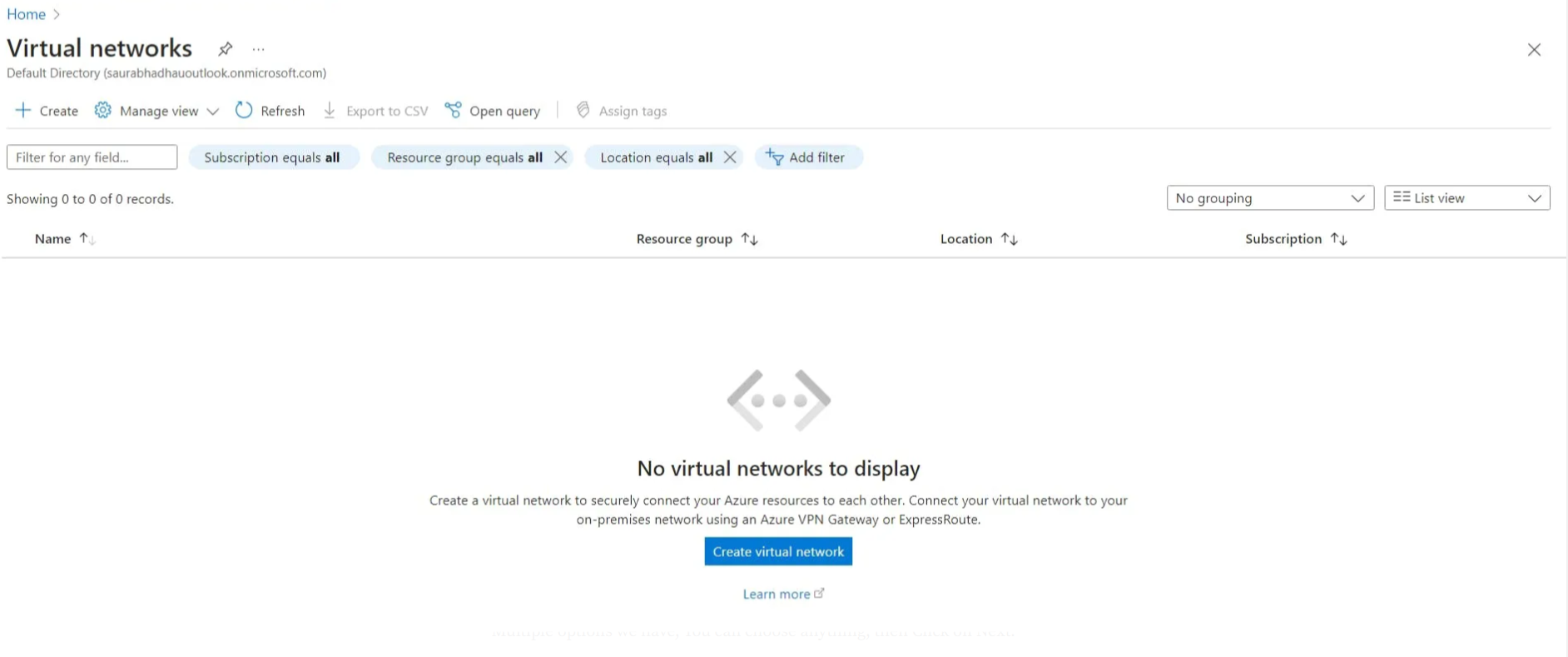
- In the search bar at the top of the Azure portal, type “Virtual Networks”. 🔍
- Click Virtual Networks from the search results.
- On the Virtual Networks page, click the “+ Create” button.
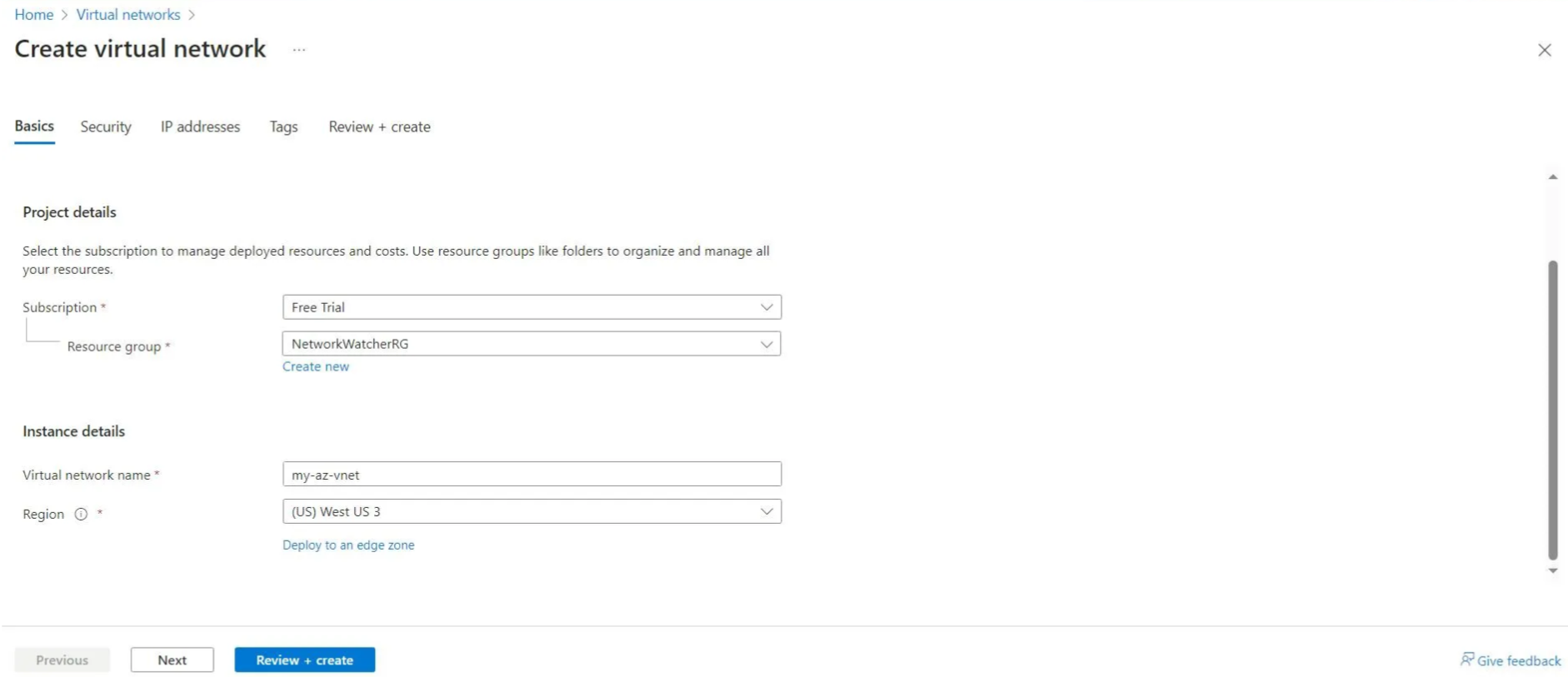
Step 3: Configure the Basics
- Under the Basics tab, fill in the following details:
- Subscription: Select your Azure subscription.
- Resource Group: Create a new resource group or select an existing one.
- Name: Enter a descriptive name for your VNet (e.g.,
MyAzureVNet). - Region: Choose the region closest to your users or services.
Step 4: Define IP Address Space
- In the IP Address Space section, define your address space (e.g.,
10.0.0.0/16). - Click Add subnet to create a subnet within the VNet.
- Specify a subnet name (e.g.,
FrontendSubnet) and subnet address range (e.g.,10.0.1.0/24).

Step 5: Configure Security and DDoS Protection
- DDoS Protection – Enable DDoS protection to secure your VNet against volumetric attacks (optional but recommended).
- Network Security Groups (NSGs) – Assign NSGs to subnets to filter inbound and outbound traffic.

Step 6: Review and Create
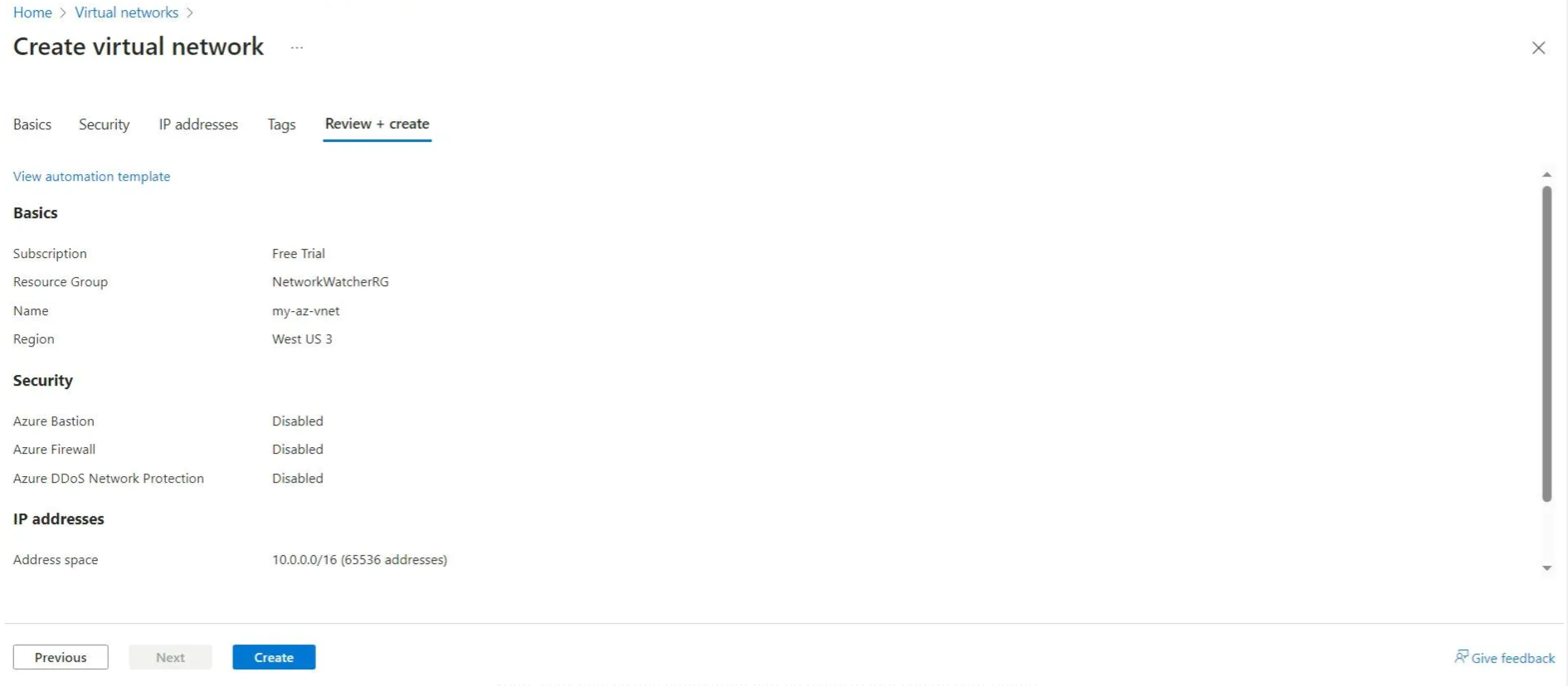
- Click on the Review + Create tab.
- Validate your configurations and click Create to deploy the VNet. 🎉
🔗 Connecting Resources to the VNet
After creating the VNet, you can attach resources like Virtual Machines, Databases, and Application Gateways by selecting the VNet during resource creation.
✅ Best Practices for Azure VNets
1. Plan Addressing Carefully
- Use non-overlapping IP ranges to avoid conflicts.
- Design address spaces to accommodate future growth.
2. Design Subnets by Purpose
- Create subnets for different resource types (e.g., Web, DB, App).
- Apply NSGs to each subnet to enhance isolation and control.
3. Implement NSGs for Security
- Use NSGs to control traffic by setting up inbound/outbound rules.
- Apply NSGs at both the subnet and NIC level.
4. Enable Azure Bastion
- Use Azure Bastion to access virtual machines securely without exposing them to the public internet.
5. Monitor Network Activity
- Leverage Azure Monitor to track network performance and set up alerts for unusual activity.
Connecting VNets and On-Premises Networks
Azure Virtual Networks can interconnect with other VNets or extend on-premises networks.
1. VNet Peering
- Connect multiple VNets within the same or different regions.
- Facilitates communication without additional hardware or software.
2. VPN Gateway
- Establish a secure connection between Azure and on-premises environments using VPN Gateway.
3. ExpressRoute
- Use ExpressRoute for dedicated, private connections between Azure and on-premises infrastructure.
Scaling and Optimizing VNet Performance
As your infrastructure grows, scale your VNet by:
- Expanding address spaces.
- Adding new subnets for additional services.
- Implementing Azure Application Gateway for load balancing.
- Using Azure Firewall to enforce consistent security policies.
Common Troubleshooting Tips
1. Connectivity Issues
- Verify NSG rules and ensure there are no blocking rules.
- Check address spaces for overlapping IP ranges.
2. Deployment Failures
- Ensure you have enough resources in the selected region.
- Review quotas and resource limitations.
3. High Latency
- Use Azure Traffic Manager to optimize traffic routes.
🎯 Conclusion
Creating a Virtual Network in Azure is a foundational step for deploying cloud services and ensuring seamless connectivity across resources. By following this guide, you can build a robust, secure, and scalable network infrastructure that supports your organization’s cloud initiatives. Whether you’re building a simple application or an enterprise-grade solution, mastering VNet deployment will help you optimize performance and improve security.
For more information refer Azure Virtual Network Documentation
Ready to get started? Log in to the Azure portal and create your first VNet today!