
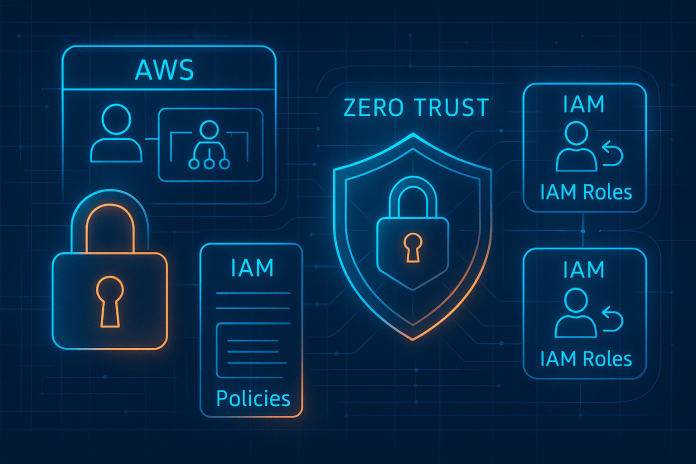
How to Secure AWS IAM Roles in Production 2026
Securing AWS IAM roles in production is no longer optional it’s foundational. In 2026, with rising cloud adoption, zero-trust mandates, AI-driven automation, and increasingly complex multi-account environments, IAM roles have become one of the most targeted attack vectors across US and UK cloud environments. Misconfigured IAM roles cause privilege escalation, lateral movement, unauthorized access, and accidental exposure that can lead to catastrophic breaches.
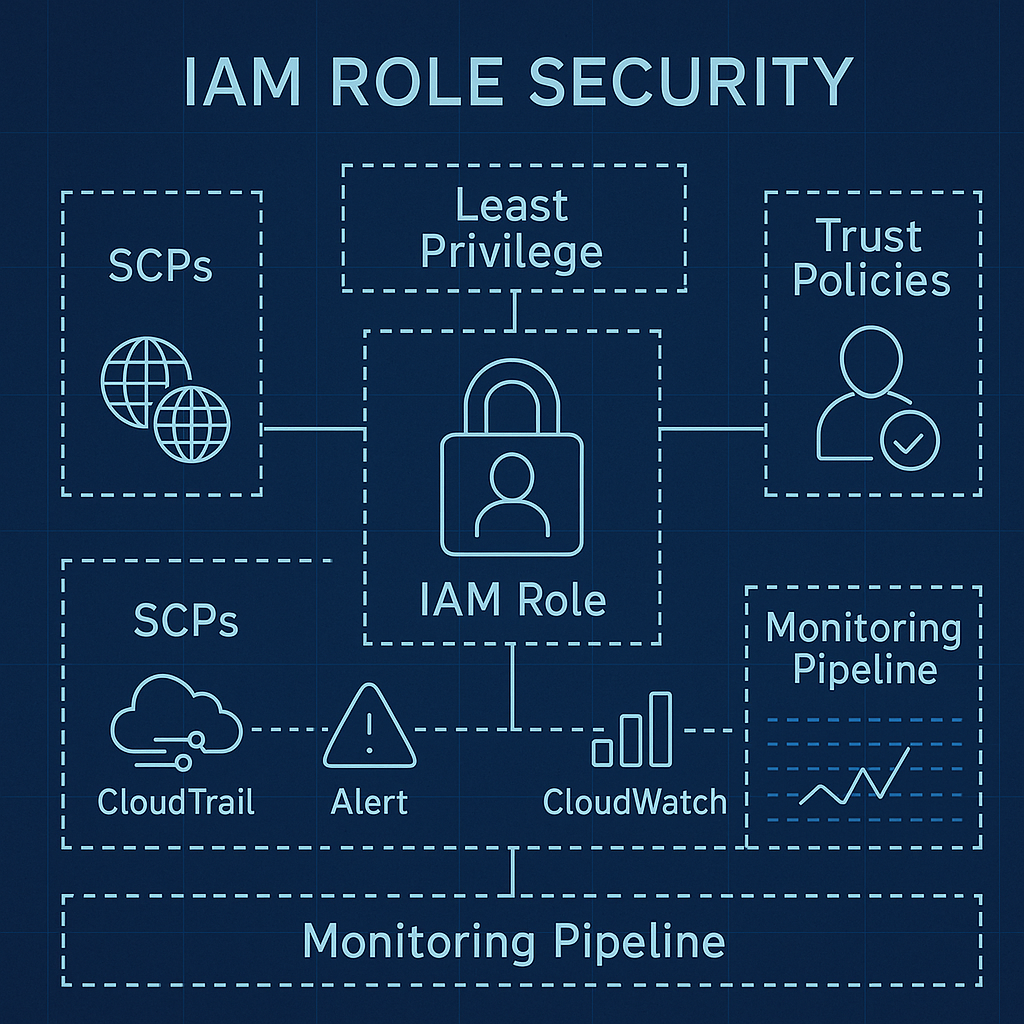
This 2026 guide explains how to secure IAM roles in production, using the latest AWS security practices, IAM design principles, and real-world patterns used by cloud-native teams, SaaS companies, and enterprise security teams.
Why IAM Role Security Matters More in 2026
IAM has always been the control plane of AWS security, but the rise of:
-
serverless architectures,
-
multi-region deployments,
-
cross-account microservices,
-
generative AI applications, and
has dramatically expanded the attack surface.
Most production incidents involving AWS identities still originate from:
-
overly permissive IAM roles,
-
missing least privilege boundaries,
-
privilege escalation exposures,
-
misconfigured trust policies,
-
unsecured cross-account access,
-
inactive roles not removed during lifecycle reviews.
Therefore, the focus in 2026 is shifting from simply granting access to governing and securing IAM roles as part of a complete Zero-Trust identity architecture.
Enforce Least Privilege from Day One
Least privilege remains the single most impactful IAM security practice.
What this means in production
-
Every IAM role should have only the permissions it absolutely requires.
-
Use IAM Access Analyzer to scan for overly broad permissions.
-
Replace
*wildcards in actions and resources. -
Break large policies into segmented micro-policies (developer, compute, CI/CD, billing, analytics).
Recommended 2026 tools:
-
IAM Policy Validator
-
IAM Access Analyzer
-
AWS Managed Policies comparison tools
-
Cloud Security Posture Management (CSPM) platforms
Least privilege reduces the attack surface and prevents privilege escalation paths.
Use Permission Boundaries for Production Roles
Permission Boundaries allow you to define maximum allowed permissions for any role, preventing accidental privilege escalation.
Scenarios where boundaries are mandatory in 2026:
-
Developer-created IAM roles
-
CI/CD generated roles
-
Multi-tenant SaaS workloads
-
Customer-facing applications
-
Environments with delegated admin control
This ensures that even if a policy becomes overly permissive, the boundary enforces a hard limit on power.
Harden IAM Role Trust Policies
Most IAM breaches in real-world case studies result not from permissions, but from trust policy weaknesses.
Production-grade trust policy rules:
-
Never allow
"Principal": "*"in production -
Use External IDs for cross-account access
-
Limit assumptions to specific services (
ec2.amazonaws.com,lambda.amazonaws.com, etc.) -
Enforce MFA for human-role assumption
-
Use
aws:SourceArnandaws:SourceAccountconditions
Correct trust policies prevent unauthorized role assumptions across AWS accounts.
Adopt Zero-Trust IAM Architecture
Zero-trust IAM in 2026 means:
-
No default trust
-
Continuous verification
-
Context-aware policies
-
Automated access reviews
Implement Zero-Trust with:
-
IAM Conditions (
aws:SourceIp,aws:TagKeys,aws:PrincipalTag) -
AWS Organizations SCPs
-
Session duration limits
-
Mandatory MFA for high-privilege roles
-
Device posture checks with federated IAM
Zero-trust IAM reduces risk dramatically in multi-account production environments.
Avoid IAM Users in Production Use Only IAM Roles + SSO
IAM users remain a legacy pattern.
In 2026:
-
No IAM users should exist in production (except break-glass).
-
Use AWS IAM Identity Center (AWS SSO) for all human identities.
-
Assign permissions via groups and permission sets.
This eliminates long-lived access keys, the #1 cause of credential leaks.
How to Secure AWS IAM Roles in Production 2026 with Secure Cross-Account IAM Role Access
Multi-account setups (via AWS Organizations) are now standard in 2026.
Startups, enterprises, and SaaS builders should secure cross-account roles using:
-
External IDs
-
Restricted principals
-
Account IDs (never
*) -
aws:SourceAccountenforcement -
Tight trust boundaries
-
Scoped permission policies
-
Access Analyzer for external access detection
Production access should always flow from central identity accounts into workload accounts.
Implement IAM Role Lifecycle Management
IAM roles should follow a lifecycle just like infrastructure:
Lifecycle stages:
-
Created (validated by security)
-
Used (monitored by logging)
-
Reviewed (periodic audit)
-
Rotated/Updated
-
Retired (disabled before deletion)
Inactive roles are a major risk.
Use IAM Access Advisor to detect unused roles in production.
Monitor IAM Role Activity in Real Time
IAM monitoring is essential for detecting suspicious actions.
Enable:
-
CloudTrail (all regions)
-
CloudTrail Lake for retention
-
CloudWatch Anomaly Detection for IAM calls
-
GuardDuty IAM threat detection
-
Access Analyzer for unusual access
Detect anomalies such as:
-
Unexpected
sts:AssumeRolecalls -
Attempts to escalate privileges
-
New IAM roles created outside CI/CD
-
API calls from unusual geolocations
-
Use of privileges not used before
Monitoring IAM role activity closes the detection gap.
Secure IAM Roles for Compute Services
EC2 Instance Roles
-
Restrict role to only required actions
-
Use IMDSv2 only
-
Block role metadata access using firewall rules
-
Rotate role credentials automatically
Lambda Execution Roles
-
Use least privilege
-
Prevent cross-service sprawl
-
Use permission boundaries for dev environments
ECS / EKS IAM Roles
-
Enable IAM Roles for Service Accounts (IRSA) in EKS
-
Map AWS permissions to Kubernetes RBAC
Compute roles must be purpose-built, minimal, and isolated.
Enable IAM Governance with AWS Organizations
Large-scale IAM governance requires:
-
Service Control Policies (SCPs)
-
Tagging guardrails (use
aws:TagKeys) -
Mandatory region restrictions
-
API suppression policies
-
Disabling creation of IAM users in all production accounts
Organizations SCPs provide the backbone of identity governance.
Final Checklist: Production-Ready IAM Role Security (2026)
✔ Enforce least privilege
✔ Harden trust policies
✔ Use permission boundaries
✔ No IAM users only roles
✔ Enable MFA everywhere
✔ Restrict cross-account access
✔ Monitor IAM continuously
✔ Use Zero-Trust conditions
✔ Govern IAM with SCPs
✔ Review & retire unused roles
A secure IAM architecture is the foundation of all AWS production workloads.
FAQ Section
Q1: What is the biggest IAM risk in 2026?
Overly permissive IAM roles and misconfigured trust policies.
Q2: Should startups use IAM users in 2026?
No roles + SSO are the industry standard.
Q3: Are permission boundaries required?
For production, delegated teams, dev accounts, and automation roles yes.
Q4: How often should IAM roles be reviewed?
Every 30–90 days depending on compliance requirements.
Q5: How does zero-trust apply to IAM?
Enforce policy conditions, continuous verification, and narrow trust links.
Q6: What tools detect IAM threats?
GuardDuty, CloudTrail Lake, Access Analyzer, SIEM integrations.
Q7: Should Lambda roles have full permissions?
Never Lambda roles must be tightly scoped to specific service actions.
Important Links
-
AWS IAM Documentation
https://docs.aws.amazon.com/IAM -
AWS IAM Best Practices
https://docs.aws.amazon.com/IAM/latest/UserGuide/best-practices.html -
AWS Organizations & SCPs
https://docs.aws.amazon.com/organizations/latest/userguide/orgs_manage_policies_scps.html -
AWS Zero-Trust Reference
https://aws.amazon.com/architecture/security-identity-compliance/ -
IAM Access Analyzer
https://docs.aws.amazon.com/IAM/latest/UserGuide/what-is-access-analyzer.html