
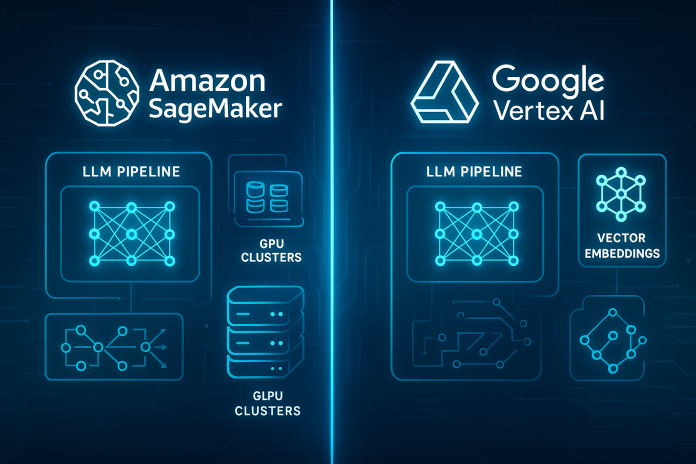
How to deploy generative AI workloads on Amazon SageMaker vs Google Vertex AI
enerative AI has changed what “ML on cloud” means. You’re no longer just training small tabular models; you’re deploying foundation models, fine-tuned LLMs, diffusion models, multimodal agents and retrieval-augmented generation (RAG) systems. The question most teams now ask is:
“Should we deploy generative AI workloads on Amazon SageMaker or Google Vertex AI—and how are they different in practice?”
Both platforms can run custom models and host large generative workloads, but they are optimised for slightly different mental models.
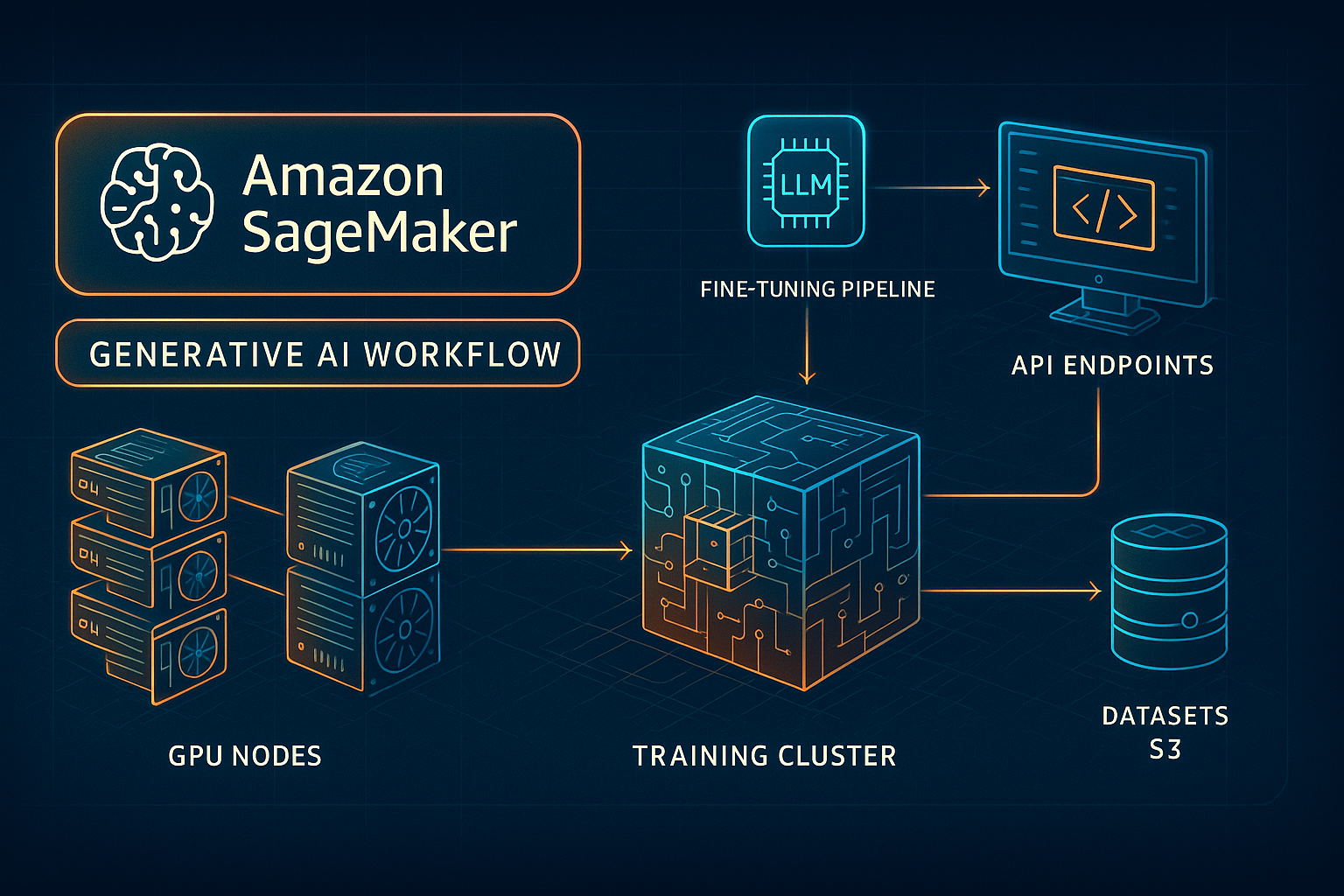
1.1 How to deploy generative AI workloads on Amazon SageMaker vs Google Vertex AI Platform roles in 2026
Amazon SageMaker (with Bedrock around it)
SageMaker is AWS’s full-control ML workbench: you manage the training code, containers, infrastructure and deployment topology. It now includes features like SageMaker HyperPod for training large models such as LLMs and diffusion models on persistent GPU clusters, and a broad suite of tooling (Pipelines, Clarify, Model Monitor, etc.). AWS Documentation+1
For generative AI, you typically use SageMaker when:
-
You want to train or fine-tune your own model (open-weight or proprietary).
-
You need custom inference containers, quantization strategies, or non-standard hardware.
-
You care about deep integration with existing MLOps tooling and VPC-restricted endpoints.
Google Vertex AI (with Gemini & Model Garden)
Vertex AI is Google Cloud’s unified AI platform, with a strong focus on managed foundation models like Gemini as well as a big Model Garden of 1st-party, 3rd-party and open-source models you can tune and deploy with a few clicks. Google Cloud Documentation+3Google Cloud+3Google Cloud+3
You use Vertex AI for generative workloads when:
-
You primarily want to consume and lightly customise Gemini or other hosted models.
-
You want seamless integration with BigQuery, Cloud Storage, Dataflow, Pub/Sub.
-
You prefer one-click model deployment and global endpoints without thinking about nodes. Google Cloud Documentation+1
So at a high level:
-
SageMaker = “bring your own generative model & infrastructure blueprints.”
-
Vertex AI = “curated model garden + tight GCP integration + managed endpoints.”
1.2 Common generative AI architecture building blocks
Before comparing deployment flows, it’s useful to agree on a generic architecture that both platforms map onto:
-
Data & Feature Layer
-
Object store (S3 / Cloud Storage) for training and prompt-tuning data.
-
Vector store (OpenSearch, Aurora PG Vector, AlloyDB, BigQuery vector, etc.).
-
-
Model Layer
-
Base model weights (open-weight or provider models).
-
Fine-tuned checkpoints for specific domains (support, legal, code).
-
-
Serving Layer
-
Real-time HTTPS endpoints for chat/completions.
-
Batch endpoints for offline document processing.
-
Streaming for long-running conversations.
-
-
Orchestration & Agents
-
Tools & function-calling, retrieval, tool-use adapters.
-
Serverless backends (Lambda / Cloud Run) and event systems.
-
-
MLOps / FinOps / Governance
-
CI/CD for models & configs.
-
Monitoring: latency, token usage, safety signals.
-
Cost controls, budgets and autoscaling policies.
-
Both SageMaker and Vertex AI cover all of these, but they expose them differently.
1.3 Generative AI workloads you’ll typically deploy
When we say “deploy generative AI workloads on Amazon SageMaker or Google Vertex AI”, it usually means one of these concrete patterns:
-
Zero-shot foundation model as a service
-
You deploy a base LLM and wire a chat UI or API gateway on top.
-
-
Fine-tuned instruction model
-
You start from an open-weight model (e.g., Llama-3-like) and fine-tune on domain data.
-
Endpoint is restricted to your internal apps.
-
-
RAG system
-
Embed documents → store vectors → retrieve → send to model with tools.
-
-
Multimodal pipeline
-
Image-to-text, text-to-image, document understanding, or video analysis.
-
-
Batch document processing
-
Large nightly job to summarise, classify or extract entities from millions of documents.
-
Understanding which pattern you need is key to choosing between SageMaker vs Vertex AI; the rest of this series assumes you’re deploying some mix of fine-tuned chat LLM + RAG + batch processing.
1.4 Decision matrix: when to pick SageMaker vs Vertex AI for these workloads
Choose SageMaker when:
-
You need ultimate control over the model container, hardware and scaling strategies.
-
You are training custom models (HyperPod / distributed training) or doing heavy parameter-efficient fine-tuning (LoRA/QLoRA) on open-weight models. AWS Documentation+1
-
You operate primarily in AWS already and want private VPC endpoints, IAM-based access and integration with existing AWS MLOps stacks.
-
You want to host OpenAI-compatible or Open-weight models on your own infra (especially relevant since AWS now offers OpenAI’s open-weight models on SageMaker & Bedrock as well). The Times of India+1
Choose Vertex AI when:
-
You mainly want to consume Gemini or partner models via managed APIs with optional tuning. Google Cloud Documentation+1
-
Your data and analytics already live in GCP (BigQuery, GCS, Dataflow) and you want tight coupling (e.g., BigQuery SQL calling Gemini for text summarisation).
-
You prefer UI-driven deployment from Model Garden & Vertex AI Studio rather than manual endpoint management. Google Cloud+2Google Cloud Documentation+2
-
You need global endpoints, A/B testing and built-in content safety without writing much infra code. Google Cloud Documentation+2Google Cloud+2
In Parts 2 and 3 we’ll build concrete, end-to-end deployment flows on each platform, then in Part 4 we’ll compare them and show how to design a cloud-agnostic generative AI deployment pattern.
Deploying Generative AI Workloads on Amazon SageMaker – From Model Choice to Production Endpoint
In this section we’ll walk through a realistic generative AI deployment on SageMaker: choosing a model, fine-tuning it, deploying an endpoint, and wiring a production-ready RAG workload around it.
2.1 Step 1 – Choose your generative model on AWS
For generative AI on AWS today you effectively have three routes:
-
Bedrock model via SageMaker integration
-
You let Bedrock host the model, SageMaker focuses on surrounding MLOps. AWS Documentation+2CloudOptimo+2
-
-
JumpStart foundation model in SageMaker
-
SageMaker JumpStart lets you pick pre-packaged LLMs, diffusion models and open-weight models from the AWS catalog, one-click deploy them or fine-tune them. AWS Documentation+1
-
-
Bring-your-own model container (BYOM)
-
You build a Docker image that implements the SageMaker inference contract (input/output handlers, /invocations endpoint) and push it to ECR.
-
For a production domain-tuned chat model, a common pattern is:
-
Start from an open-weight 8–70B model exposed through JumpStart.
-
Evaluate quality and latency on a sample set.
-
Fine-tune with LoRA using your own instruction data on SageMaker training jobs or HyperPod. AWS Documentation
2.2 Step 2 – Prepare training / fine-tuning pipeline
A typical fine-tuning pipeline on SageMaker:
-
Data prep
-
Store your raw documents in S3.
-
Use a preprocessing job (AWS Glue, EMR, or a SageMaker Processing job) to convert them into instruction pairs (
{"system": ..., "prompt": ..., "response": ...}) or conversation turns.
-
-
Training job
-
Use a Hugging Face or DeepSpeed container from the SageMaker DLC catalog.
-
Configure distributed training and parameter-efficient finetuning (QLoRA) to keep GPU memory and cost manageable.
-
Log metrics to CloudWatch and SageMaker Experiments.
-
-
Artifact storage
-
Fine-tuned model weights are stored back into S3.
-
Optionally, register the model in SageMaker Model Registry for lifecycle management.
-
The key design tension is cost vs iteration speed: HyperPod clusters give fast iteration for large generative models but must be used with discipline to avoid runaway cost. AWS Documentation+1
2.3 Step 3 – Deploy real-time endpoints
SageMaker offers several deployment patterns that matter for generative AI:
-
Single-model endpoints – one model, one variant.
-
Multi-model endpoints (MME) – many models, one fleet (good for multiple fine-tuned variants).
-
Asynchronous endpoints – for long-running requests like large document summarisation.
-
Serverless inference – for spiky workloads and prototypes.
-
Rolling or Blue/Green deployments – to safely roll out new model versions. AWS Documentation+1
A common setup for LLM-based chat:
-
Primary real-time endpoint on GPU instances for low-latency interactive requests.
-
Async endpoint for heavy batch document processing.
-
Autoscaling based on concurrent requests and model latency.
Security choices:
-
Place endpoints inside a VPC with security groups limiting callers.
-
Use IAM roles for application access, or front them with API Gateway + Lambda for fine-grained auth.
2.4 Step 4 – Build a RAG pipeline around SageMaker
Most practical generative AI workloads are RAG systems rather than pure LLM calls.
Typical AWS RAG architecture:
-
Ingestion & embedding
-
Use a separate embedding model (Bedrock or a smaller SageMaker model).
-
Chunk documents stored in S3.
-
Store embeddings into OpenSearch Serverless, Aurora PostgreSQL with pgvector, or DynamoDB-based vector solutions.
-
-
Query flow
-
User sends query via API Gateway → Lambda.
-
Lambda calls vector store for top-K relevant chunks.
-
Lambda constructs a prompt (
system + context chunks + user query). -
Lambda sends prompt to the SageMaker generative endpoint.
-
Response + citations are returned to the client.
-
-
Guardrails & monitoring
-
Use SageMaker Clarify or external guardrail services to detect PII, toxicity, hallucinations.
-
Log prompts and responses (in a privacy-safe way) to S3 for offline evaluation. AWS Documentation+1
-
This pattern lets you keep proprietary data in your own AWS account while using tuned generative models hosted on SageMaker or Bedrock.
2.5 Step 5 – MLOps: CI/CD and FinOps
To keep costs predictable and deployments reproducible:
-
CI/CD
-
Use CodePipeline or GitHub Actions to build and push new model images, update endpoint configs via SageMaker APIs or CloudFormation/Terraform.
-
Store infra as code; treat each generative model as a versioned artifact.
-
-
FinOps
-
Track GPU instance hours per model ID.
-
Use Cost Explorer and custom tags to separate experimentation vs production.
-
Enforce idle endpoint shutdown policies (especially for dev sandboxes). AWS Documentation+1
-
By the end of Part 2 you have a mental template for “deploy generative AI workloads on Amazon SageMaker” that is realistic for an enterprise: fine-tuning, RAG, guarded endpoints and cost controls.
Deploying Generative AI Workloads on Google Vertex AI – Gemini, Model Garden & Endpoints
Now we mirror the same thought process on Vertex AI.
3.1 Step 1 – Choose your model: Gemini, partner, or custom
Vertex AI offers three main tracks for generative workloads:
-
Gemini models (first-party)
-
Families like Gemini 3 / 2.x Flash etc., for text, chat, multimodal and agents. Google Cloud+2Google Cloud Documentation+2
-
-
Model Garden partner / open-source models
-
Dozens of curated 3rd-party and OSS models, optimised for specific modalities (code, images, audio, etc.). Google Cloud Documentation+2Google Cloud+2
-
-
Custom models
-
Models you train on Vertex AI Training or import via custom containers.
-
The typical Vertex AI generative deployment in 2026 uses:
-
A Gemini model for chat, coding, agents, or document understanding.
-
Optionally, a fine-tuned version using tuning APIs or adapter-based methods.
-
Integration with BigQuery and Cloud Storage from within the prompt or tools.
3.2 Step 2 – Rapid prototyping in Vertex AI Studio
Vertex AI Studio lets you:
-
Experiment with prompts and tools in a browser.
-
Log quality metrics and example prompts.
-
Turn a “prompt experiment” into an endpoint or web app in a few clicks. Google Cloud+2Google Cloud+2
A recommended pattern is:
-
Start with Studio to design the prompting strategy and system prompts.
-
Save prompt templates in the project.
-
Promote working configurations to code using Vertex AI SDKs (Python, Java, Go, etc.). Google Cloud+1
3.3 Step 3 – Deploy endpoints from Model Garden
For most Model Garden models you’ll see a Deploy button that:
-
Lets you choose endpoint type (shared vs dedicated).
-
Configure machine type, autoscaling, minimum & maximum replicas.
-
Optionally pick a Compute Engine reservation to control pricing. Google Cloud Documentation+1
Generative AI deployments on Vertex AI commonly use:
-
Global endpoints for Gemini and partner models, reducing region-specific management. Google Cloud Documentation+1
-
Private Service Connect (PSC) endpoints when you need VPC-only access. docs.litellm.ai
Security is mostly about IAM:
-
Grant service accounts permissions to call
vertexai.predictorvertexai.generativeText. -
Restrict high-capability models to specific projects or folders.
3.4 Step 4 – Build a GCP-native RAG pipeline
The GCP version of a RAG pipeline looks like:
-
Ingestion & embedding
-
Store source documents in Cloud Storage.
-
Use Vertex AI text embedding models or Gemini embedding endpoints.
-
Store embeddings in BigQuery vector columns, AlloyDB, or external vector DB.
-
-
Query flow
-
Cloud Run service receives user query.
-
Service queries BigQuery (or vector DB) for top-K context.
-
Combines retrieved context with system prompt and user query.
-
Calls Gemini / Model Garden endpoint via Vertex AI SDK.
-
Returns answer plus citations.
-
-
Analytics integration
-
Log prompts, responses and cost metrics (tokens, latency) to BigQuery.
-
Use Looker Studio to build dashboards for product and FinOps teams.
-
This pattern is attractive if your company already runs analytics on BigQuery—your RAG system becomes just another workload on top of your existing data warehouse.
3.5 Step 5 – Batch and streaming generative workloads
Vertex AI integrates tightly with other GCP services:
-
Batch pipelines
-
Use Dataflow or Cloud Functions to read from Pub/Sub / Cloud Storage and call generative endpoints.
-
Ideal for nightly summarisation of logs, reports, or transcripts.
-
-
Streaming / event-driven agents
-
Use Eventarc + Cloud Run to trigger agents when documents land in a bucket or when a user performs an action in your SaaS app.
-
Thanks to unified Google Gen AI SDK and Gemini APIs, you can use similar code paths across Vertex AI and the public Gemini API, giving you portability between “Cloud” and “direct API” deployment styles. Google AI for Developers+1
3.6 Monitoring, safety and FinOps
Vertex AI provides:
-
Built-in content safety filters for toxicity, PII and unsafe content. Google Cloud Documentation+1
-
Logging of prompts and responses via Cloud Logging / BigQuery.
-
Observability hooks for latency, error rates and tokens.
-
Pricing pages that break down cost per 1K tokens or per minute of multimodal usage. Google Cloud+1
FinOps teams often:
-
Track per-project or per-folder budgets in Cloud Billing.
-
Use exports to BigQuery for cost forecasting and chargeback.
-
Enforce guardrails like “max tokens per request” and quota limits per client.
By the end of Part 3 you have a working mental template for “Vertex AI generative AI deployment” which feels more like configuring APIs and data flows than managing GPU fleets.
SageMaker vs Vertex AI for Generative Workloads – Design Choices, Trade-offs & a Cloud-Agnostic Pattern
Now that we’ve covered each platform in isolation, we can answer the pragmatic question:
“Given my workload, team and constraints, which platform should I pick and how do I avoid lock-in?”
4.1 Dimensions to compare
1. Control vs Convenience
-
SageMaker
-
Maximum control over containers, GPUs, networking, scaling.
-
Great for bespoke LLMs, unusual architectures, or when you must run a specific open-weight model with custom extensions (tools, multi-modal fusion, etc.). AWS Documentation+2Angular Minds+2
-
-
Vertex AI
-
Maximum convenience: you mostly consume managed Gemini / partner models with optional tuning.
-
Best when your differentiator is in prompting + data rather than model training. Google Cloud+2Google AI for Developers+2
-
2. Ecosystem Fit
-
If your infra, data lake, and event systems live on AWS, SageMaker keeps networking simple (S3, Lambda, API Gateway, OpenSearch, RDS).
-
If you’re a BigQuery-centric organisation, Vertex AI is the natural extension for analytics-driven generative apps.
3. Skill profile
-
Teams with strong DevOps / MLOps skills may prefer SageMaker’s explicit control.
-
Product-heavy teams with strong data skills but limited infra capacity often move faster with Vertex AI’s Studio + Model Garden + serverless endpoints.
4.2 Cost, performance & scaling
Cost depends heavily on model size, traffic pattern and tuning strategy, but you can generalise some trends:
-
For maximal utilisation of GPUs (e.g., always-on, high-volume workloads), SageMaker’s explicit instance control can give you fine-tuned cost/performance—assuming you have the expertise to right-size fleets and auto-scaling. AWS Documentation+2Medium+2
-
For variable or unpredictable traffic, managed endpoints on Vertex AI and serverless options on both clouds can reduce idle cost, at the expense of some loss of tuning freedom. Google Cloud Documentation+3Google Cloud Documentation+3Google Cloud+3
A practical pattern is to:
-
Start with managed, serverless endpoints (Bedrock, Gemini) for early validation.
-
As workloads stabilise, migrate hot paths to SageMaker or dedicated Vertex AI endpoints with committed capacity and quantised models.
4.3 Building a cloud-agnostic generative deployment
You don’t want to rewrite your entire stack when switching from SageMaker to Vertex AI or vice versa. To minimise lock-in, design with:
-
A model-agnostic inference interface
-
Wrap both SageMaker and Vertex AI calls behind a common API in your app (e.g.,
/llm/chat,/llm/embeddings). -
Use an internal “provider” parameter to route calls to SageMaker, Bedrock, Vertex AI, or another vendor.
-
-
Portable prompt & tool schemas
-
Represent system prompts, tool definitions, and RAG templates in structured config files (YAML/JSON) stored in Git, not hard-coded into notebooks.
-
This way, you can reuse prompt logic across cloud providers.
-
-
Decoupled vector store
-
Use a vector database that can be reached from both clouds (e.g., a managed SaaS vector DB, or replicate to both sides).
-
Or design DB schemas (BigQuery vector vs Aurora pgvector) so migration is mostly ETL, not re-engineering.
-
-
Infrastructure-as-Code for each cloud
-
Keep Terraform modules like
aws_generative_endpointandgcp_vertex_endpoint, each implementing the same conceptual resource (text model endpoint, embedding model, RAG service). -
Your higher-level pipeline refers only to the conceptual module, not to provider-specific details.
-
-
Unified monitoring & evaluation
-
Centralise prompt & response logs in one warehouse (BigQuery, Snowflake, or Redshift).
-
Run your evaluation harness—hallucination checks, latency, cost per call—independent of which cloud served the request.
-
With this pattern, switching “primary provider” from SageMaker to Vertex AI becomes closer to:
-
Change provider config →
-
Re-run infra code →
-
Repoint DNS / API gateway
instead of a full rewrite.
4.4 Example: same workload on both platforms
Imagine a customer-support assistant that summarises tickets and suggests replies.
On SageMaker:
-
Fine-tune an open-weight LLM on historical tickets via HyperPod.
-
Host it on a real-time GPU endpoint in a VPC.
-
Use Lambda + API Gateway to front it.
-
Use OpenSearch Serverless as the RAG vector store.
On Vertex AI:
-
Use Gemini Pro (or a domain-tuned variant) from Model Garden.
-
Fine-tune with conversation transcripts using tuning API.
-
Host via global Gemini endpoint with PSC into your VPC.
-
Store embeddings and ticket metadata in BigQuery.
The business behaviour is identical; only the platform primitives change. A cloud-agnostic abstraction layer ensures your frontend and evaluation tools don’t care which side you’re on.