
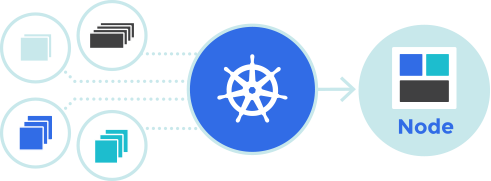
Automating Kubernetes Operations: Simplify and Scale Your Workflows
Kubernetes, as a leading container orchestration platform, is powerful but can be complex to manage manually. Automating Kubernetes operations enhances efficiency, ensures consistency, and reduces the risk of human errors. From deploying workloads to scaling, monitoring, and securing your clusters, automation simplifies Kubernetes workflows.
This guide explores automation techniques for Kubernetes operations using tools like kubectl, Helm, Terraform, and Kubernetes operators. Step-by-step examples, best practices, and technical insights are included to help you streamline your Kubernetes operations.
Why Automate Kubernetes Operations?
Key Benefits
- Efficiency:
- Automate repetitive tasks like deployments and scaling.
- Consistency:
- Ensure uniform configurations across environments.
- Scalability:
- Handle growing workloads without manual intervention.
- Reduced Errors:
- Minimize human error by codifying Kubernetes operations.
For more details, visit the Kubernetes Automation Guide.
Key Tools for Kubernetes Automation
1. kubectl
- The command-line tool for managing Kubernetes clusters.
- Supports scripting and automation via
bashorYAML.
2. Helm
- A package manager for Kubernetes.
- Simplifies deployment and management of complex applications.
3. Terraform
- Automates the provisioning of Kubernetes clusters and infrastructure.
- Manages Kubernetes objects as code.
4. Kubernetes Operators
- Automates domain-specific tasks using custom resources and controllers.
- Examples: Prometheus Operator, Cert-Manager.
Step-by-Step Guide to Automating Kubernetes Operations
Scenario: Automate deployment, scaling, monitoring, and upgrades of a web application in a Kubernetes cluster.
1. Automate Deployments
1.1: Using Helm for Deployment
- Create a Helm chart:
helm create my-web-app - Define application values in
values.yaml:image: repository: nginx tag: 1.19 pullPolicy: IfNotPresent replicaCount: 2 - Deploy the application:
helm install my-web-app ./my-web-app - Verify deployment:
kubectl get pods
1.2: Automate Deployment with Terraform
- Define a Terraform configuration:
provider "kubernetes" { config_path = "~/.kube/config" } resource "kubernetes_deployment" "web_app" { metadata { name = "web-app" labels = { app = "web" } } spec { replicas = 2 selector { match_labels = { app = "web" } } template { metadata { labels = { app = "web" } } spec { container { image = "nginx:1.19" name = "nginx" } } } } } - Apply the configuration:
terraform init terraform apply - Confirm the deployment:
kubectl get deployments
2. Automate Scaling
2.1: Enable Horizontal Pod Autoscaler (HPA)
- Define an HPA YAML file:
apiVersion: autoscaling/v2 kind: HorizontalPodAutoscaler metadata: name: web-app-hpa spec: scaleTargetRef: apiVersion: apps/v1 kind: Deployment name: web-app minReplicas: 2 maxReplicas: 10 metrics: - type: Resource resource: name: cpu target: type: Utilization averageUtilization: 50 - Apply the HPA configuration:
kubectl apply -f hpa.yaml - Generate load to test autoscaling:
kubectl run -i --tty load-generator --image=busybox /bin/sh while true; do wget -q -O- http://web-app-service.default.svc.cluster.local; done - Monitor scaling:
kubectl get hpa
3. Automate Monitoring
3.1: Deploy Prometheus and Grafana
- Install Prometheus and Grafana using Helm:
helm repo add prometheus-community https://prometheus-community.github.io/helm-charts helm install prometheus prometheus-community/prometheus helm repo add grafana https://grafana.github.io/helm-charts helm install grafana grafana/grafana - Access Grafana:
kubectl port-forward svc/grafana 3000:3000 - Add Prometheus as a data source in Grafana and create dashboards.
3.2: Automate Alerting
- Configure Prometheus alerts in
prometheus.yml:alerting: alertmanagers: - static_configs: - targets: - "alertmanager:9093" rule_files: - "alerts.yml" - Define an alert rule in
alerts.yml:groups: - name: CPUAlerts rules: - alert: HighCPUUsage expr: node_cpu_seconds_total > 0.8 for: 2m labels: severity: critical annotations: summary: "High CPU usage detected" description: "CPU usage is above 80% for the last 2 minutes." - Reload Prometheus:
kubectl rollout restart deploy/prometheus-server
4. Automate Upgrades
4.1: Rolling Updates
- Update the deployment:
kubectl set image deployment/web-app nginx=nginx:1.21 - Monitor the rollout:
kubectl rollout status deployment/web-app - Rollback if needed:
kubectl rollout undo deployment/web-app
4.2: Automate with ArgoCD
- Install ArgoCD:
kubectl apply -n argocd -f https://raw.githubusercontent.com/argoproj/argo-cd/stable/manifests/install.yaml - Create an ArgoCD application:
apiVersion: argoproj.io/v1alpha1 kind: Application metadata: name: web-app spec: source: repoURL: https://github.com/your-repo/web-app path: . targetRevision: HEAD destination: server: https://kubernetes.default.svc namespace: default project: default - Apply the configuration:
kubectl apply -f web-app-argocd.yaml - Access the ArgoCD UI:
kubectl port-forward svc/argocd-server -n argocd 8080:443
Best Practices
- Use Infrastructure as Code (IaC):
- Manage Kubernetes resources with tools like Terraform or Helm.
- Monitor Continuously:
- Use Prometheus and Grafana to track application and cluster performance.
- Secure Automation:
- Restrict access to CI/CD pipelines and Kubernetes APIs.
- Test Before Deployment:
- Validate updates in staging environments before applying them to production.
- Implement Role-Based Access Control (RBAC):
- Enforce RBAC policies for secure cluster operations.
Official Resources
Conclusion
Automating Kubernetes operations simplifies cluster management, improves efficiency, and enhances scalability. By leveraging tools like Helm, Terraform, and Kubernetes operators, you can automate deployments, scaling, monitoring, and upgrades while adhering to best practices. Regular reviews and updates to your automation workflows will ensure continued reliability and performance.