
Cloud Computing Applications
Cloud computing has revolutionized how we access, manage, and deploy applications across various sectors, including business, education, entertainment, and social networking. This comprehensive guide dives deep into the key features, applications, advantages, disadvantages, and challenges of cloud computing applications.
What Are Cloud Computing Applications?
Cloud computing applications are software programs hosted on cloud servers and delivered over the internet. Unlike traditional software that requires installation on physical devices, cloud applications are accessible from any device with an internet connection. These applications leverage the cloud’s scalability, cost-efficiency, and flexibility to meet the diverse needs of individuals and organizations.
Key Features of Cloud Computing Applications
- Scalability: Cloud applications can scale up or down based on user demand, accommodating business growth or fluctuating workloads.
- Accessibility: Users can access applications from any device, anywhere in the world, with an internet connection.
- Multi-Tenancy: A single instance of the application serves multiple users, reducing costs and optimizing resource utilization.
- Automatic Updates: Providers handle software updates, ensuring users always have the latest features and security patches.
- Cost-Efficiency: Pay-as-you-go pricing models eliminate upfront costs and reduce operational expenses.
- Data Security: Providers implement encryption, access control, and regular backups to safeguard data.
- Integration: Cloud applications often integrate seamlessly with other tools and platforms through APIs.
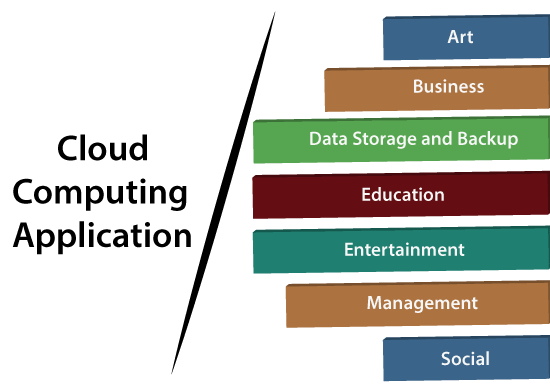
Applications of Cloud Computing
1. Art Applications
Cloud computing simplifies the creation, storage, and sharing of artistic designs, enabling artists and designers to work efficiently.
Examples:
- Moo: For designing and printing business cards, postcards, and mini-cards.
- Vistaprint: Provides templates for marketing products like booklets and wedding invitations.
- Adobe Creative Cloud: Includes Photoshop, Illustrator, InDesign, and more for professional-grade graphic design and video editing.
2. Business Applications
Businesses rely on cloud applications to streamline operations, enhance productivity, and improve collaboration.
Examples:
- MailChimp: An email marketing platform for designing and managing campaigns.
- Salesforce: A CRM tool for managing sales, marketing, and customer service.
- Slack: Facilitates communication through public and private channels.
- PayPal: Secure online payment processing.
- QuickBooks: Cloud-based accounting software.
Features:
- Real-time collaboration
- Automated updates and backups
- Scalable infrastructure
Use Cases:
- Customer relationship management (CRM)
- Enterprise resource planning (ERP)
- Financial management
3. Data Storage and Backup Applications
Cloud computing provides secure storage solutions and automatic backups to protect against data loss.
Examples:
- Google Drive: Offers cloud storage and integration with Google Workspace tools.
- Box.com: Secure content management and collaboration.
- Mozy: Schedules automatic backups for personal and business data.
Benefits:
- Accessibility from multiple devices
- Cost-effective storage options
- High-level security and redundancy
4. Education Applications
Cloud computing has transformed education through e-learning platforms, virtual classrooms, and resource-sharing tools.
Examples:
- Google Workspace for Education: Provides Gmail, Docs, Meet, and more for collaborative learning.
- Chromebooks for Education: Affordable devices for classrooms.
- AWS in Education: Scalable solutions for schools and universities.
Key Advantages:
- Easy access to educational resources
- Enhanced collaboration between students and teachers
- Scalability for growing institutions
5. Entertainment Applications
Entertainment industries leverage cloud computing for gaming, streaming, and video conferencing.
Examples:
- Online Gaming: Platforms like GeForce Now and PlayStation Now offer cloud-based gaming experiences.
- Zoom: Enables seamless video conferencing for personal and professional use.
Benefits:
- Reduced hardware requirements for gaming
- Cost-effective content delivery
- Enhanced user engagement
6. Management Applications
Cloud management tools help organizations oversee operations, monitor resources, and improve efficiency.
Examples:
- Toggl: Tracks project time allocation.
- Evernote: Synchronizes notes and ideas across devices.
- GoToMeeting: Provides video conferencing and online meeting tools.
Features:
- Real-time data monitoring
- Cross-platform compatibility
- Automation of routine tasks
7. Social Applications
Cloud-based social applications enable seamless communication and networking.
Examples:
- Facebook: For sharing content and connecting with friends.
- Twitter: A microblogging platform for real-time updates.
- LinkedIn: A professional networking site.
Advantages:
- Real-time updates and interactions
- Scalability for large user bases
- Integration with other platforms
Advantages of Cloud Computing Applications
- Cost Savings: Eliminates the need for expensive hardware and software investments.
- Flexibility: Access applications from anywhere, promoting remote work.
- Scalability: Easily scale resources to meet business needs.
- Security: Providers implement robust measures to protect user data.
- Disaster Recovery: Automatic backups ensure data recovery during emergencies.
- Collaboration: Tools enable teams to work together in real-time.
- Faster Deployment: Applications are ready to use almost immediately after purchase.
Disadvantages of Cloud Computing Applications
- Internet Dependency: Applications are unusable without a stable internet connection.
- Security Concerns: Storing sensitive data on third-party servers can pose privacy risks.
- Vendor Lock-In: Migrating to another provider may be challenging.
- Latency: Applications requiring high-speed performance may face delays.
- Limited Customization: Pre-configured environments may restrict flexibility.
Challenges of Cloud Computing Applications
- Data Security: Ensuring compliance with regulations like GDPR and HIPAA.
- Integration: Combining cloud-based applications with legacy systems.
- Performance: Maintaining application speed and reliability.
- Cost Management: Avoiding unexpected expenses from pay-as-you-go pricing models.
- Vendor Reliability: Choosing a provider with strong uptime guarantees.
Future Trends in Cloud Computing Applications
- AI Integration: Enhanced analytics, automation, and personalization through AI-powered cloud tools.
- Edge Computing: Real-time processing closer to data sources for reduced latency.
- Hybrid Cloud Solutions: Combining public and private clouds for greater flexibility.
- Vertical-Specific Solutions: Industry-tailored applications for healthcare, finance, and more.
- Multi-Cloud Strategies: Using multiple providers to reduce dependency and optimize costs.
Conclusion
Cloud computing applications have become indispensable across various industries, offering unmatched scalability, flexibility, and cost-efficiency. Whether for business management, education, entertainment, or social networking, these applications empower users to achieve more with fewer resources.