

Introduction to Azure Arc
Introduction
Azure Arc is a powerful offering from Microsoft Azure that extends Azure’s management capabilities to resources running outside of Azure. Whether your resources are located on-premises, at the edge, or in multi-cloud environments, Azure Arc enables you to manage, monitor, and secure them using Azure’s familiar tools. This makes it an ideal solution for organizations looking to unify management across hybrid and multi-cloud setups.
In this article, we’ll explore how to get started with Azure Arc in the Azure Portal, its key features, and the steps to integrate and manage resources using this innovative solution.
What is Azure Arc
Azure Arc is a set of technologies that allows you to extend Azure management and governance to external environments. You can connect and manage resources such as Kubernetes clusters, virtual machines (VMs), and databases running outside Azure.
Key Features of Azure Arc:
- Unified Management: Manage resources from a single pane of glass in the Azure Portal.
- Multi-Cloud and Hybrid Support: Integrates with on-premises and multi-cloud environments.
- Azure Services Anywhere: Use Azure services like Azure Policy, Azure Monitor, and Azure Security Center on external resources.
- Seamless Integration: Connect resources via scripts, API, or portal for efficient management.
- Automation and Scalability: Automate workflows using Azure tools like Azure DevOps and Logic Apps.
Steps to Get Started with Azure Arc
Step 1: Access the Azure Arc Center
- Sign in to the Azure Portal.
- Search for Azure Arc in the search bar and select Azure Arc Center.

- The Arc Center provides a central hub for all Azure Arc-related activities, including:
- Access to documentation.
- Latest updates and previews.
- Pricing details.
- Available Azure Arc-enabled services.
Step 2: Explore the Documentation and Resources
Before diving into Azure Arc’s implementation, it’s helpful to explore its documentation and tools:
- Azure Documentation Hub:
Find installation guides and detailed documentation to understand Azure Arc’s capabilities. - Azure Jumpstart Repo:
Offers hands-on labs and pre-configured scenarios, making it ideal for beginners who prefer automation over UI. - Training and Demos:
Learn from Azure’s hybrid architecture examples and official training modules.

Step 3: Check Updates and Pricing
- Updates:
Keep track of new features and announcements in Azure Arc. Azure regularly adds new functionalities to enhance the service.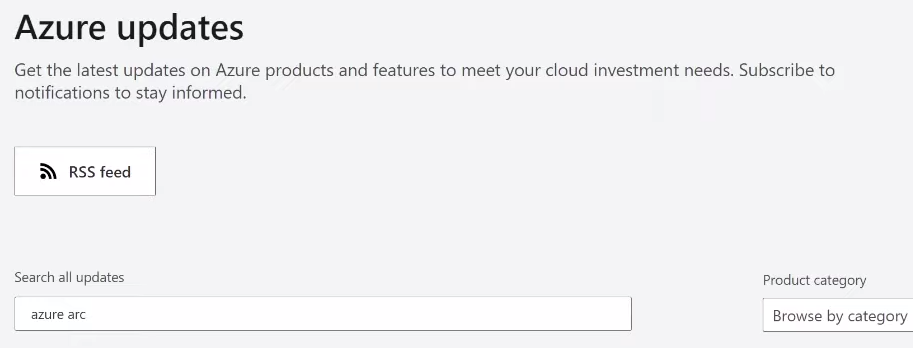
- Pricing:
Understand Azure Arc’s pricing model and use the Azure Pricing Calculator to estimate costs for your environment.
Step 4: Use the Azure Arc Infrastructure Catalog
Azure Arc provides a comprehensive catalog of its infrastructure offerings:
- Navigate to the Azure Infrastructure tab in the Arc Center.
- Explore Azure Arc-enabled services, such as:
- Servers
- Kubernetes clusters
- Data services
- Sign up for previews to access the latest features in development.

Step 5: Add and Manage On-Premises Resources
- Add an On-Premises Server:
- Select Servers from the Arc Center menu.
- Follow the prompts to create a representation of your server in Azure.
- Provide necessary details, including optional location tags (e.g., “Boston Data Center”).

- Download and Run the Script:
- Download the generated script and run it on your on-premises server to install the Azure Arc agent.
- This step connects the server to Azure for management.
Step 6: View and Manage Azure Arc Resources
- Resource Overview:
- Head to the Azure Arc Resources view to see all connected resources.
- Use filters to sort by type or location for easier navigation.
- Inspect and Modify Resources:
- Select specific resources (e.g., servers or Kubernetes clusters) to view their details.
- Perform tasks like monitoring, tagging, or applying policies directly from the Azure Portal.
Step 7: Utilize Azure Arc Management Tools
Once your resources are connected, you can use Azure’s management tools to monitor and govern them:
- Azure Monitor:
Set up monitoring and alerting for your resources to track performance and health. - Azure Policy:
Enforce compliance and governance rules across all connected resources. - Azure Security Center:
Identify and mitigate vulnerabilities or threats in your environment. - GitOps for Kubernetes:
Automate application and configuration deployments for Azure Arc-enabled Kubernetes clusters.
Advantages of Azure Arc
- Unified Control:
Manage all your resources, whether on-premises, edge, or multi-cloud, from the Azure Portal. - Cost Efficiency:
Only pay for the Azure services you use while benefiting from centralized management. - Scalability:
Seamlessly add and manage resources as your infrastructure grows. - Improved Compliance:
Use Azure Policy to enforce governance across environments, ensuring compliance with organizational standards. - Automation:
Streamline resource management with GitOps, Azure DevOps, and Logic Apps.
Disadvantages of Azure Arc
- Learning Curve:
Organizations unfamiliar with Azure may require time to adapt to its tools and workflows. - Dependency on Azure:
While Azure Arc supports hybrid environments, it still requires integration with Azure, which may not suit all scenarios. - Additional Costs:
Leveraging Azure Monitor, Policy, and Security Center for external resources may increase operational costs. - Complex Setup:
Large-scale environments may require significant effort to onboard and manage resources effectively.
How Does Azure Arc Work
Azure Arc enables the management of hybrid resources by “projecting” them into Azure, making them appear and function as Azure-native resources.
1. Azure Arc-Enabled Servers
- Connects on-premises or cloud VMs (Windows/Linux) to Azure.
- Uses an agent-based approach to register servers in Azure.
- Allows centralized monitoring, security, and automation via Azure Policy and Defender for Cloud.
2. Azure Arc-Enabled Kubernetes
- Extends Azure management to Kubernetes clusters running on-premises or in other clouds (AWS, GCP).
- Enables Azure Policy, monitoring, and GitOps-based configuration management.
- Works with AKS, OpenShift, and other Kubernetes distributions.
3. Azure Arc-Enabled Data Services
- Deploy Azure SQL Managed Instance and PostgreSQL on any infrastructure.
- Provides automatic scaling, updates, and high availability.
- Works on-premises, edge, and in multi-cloud environments.
4. Azure Arc for Applications & Services
- Supports deploying Azure Functions, Logic Apps, and App Services on on-premises or cloud VMs.
- Enables Azure governance and security for hybrid applications.
Best Practices for Azure Arc
- Tag Resources:
Use physical location tags to organize resources and simplify asset management. - Monitor Continuously:
Set up Azure Monitor to proactively track resource health and performance. - Enforce Policies Early:
Implement Azure Policy during the onboarding process to maintain compliance. - Leverage GitOps:
Automate configuration and deployment for Kubernetes clusters with GitOps. - Stay Updated:
Regularly check for new features and announcements in the Arc Center.
Troubleshooting Steps for Introduction to Azure Arc
1. Connection Issues
- Ensure the Azure Arc agent is installed and running on the resource.
- Check network connectivity between the resource and Azure.
2. Resource Not Visible in Arc Center
- Verify that the registration script was executed successfully.
- Refresh the Azure Portal and check the filters applied in the Arc Resource view.
3. Policy Enforcement Fails
- Confirm that the correct policies are applied to the resource.
- Check Azure Policy logs for detailed error messages.
4. Monitoring Not Working
- Ensure Azure Monitor is enabled for the resource.
- Verify the correct namespaces and metrics are being tracked.
Conclusion
Azure Arc is a game-changing solution for organizations managing hybrid and multi-cloud environments. By bringing non-Azure resources under Azure’s management, it provides a unified platform to monitor, secure, and automate workflows. Whether you’re managing Kubernetes clusters, on-premises servers, or databases, Azure Arc makes it easy to extend Azure’s capabilities beyond its traditional boundaries.
To get started with Azure Arc, explore its features in the Azure Portal or check out the Azure Arc documentation.
Learn about Manage Azure VM Power State