

How to Migrate from CentOS to AlmaLinux
With the end of CentOS 8’s lifecycle and the shift in focus to CentOS Stream, many users are looking for a stable, community-driven alternative that is binary-compatible with Red Hat Enterprise Linux (RHEL). AlmaLinux has emerged as a popular choice, providing a reliable platform for those who want to continue with a free and stable RHEL-based system. In this guide, we’ll explore what AlmaLinux is and provide a step-by-step guide to migrating from CentOS to AlmaLinux.
What is AlmaLinux?
AlmaLinux is an open-source, community-driven Linux distribution created by the team at CloudLinux as a response to Red Hat’s shift in CentOS’s focus to CentOS Stream. AlmaLinux offers a free, enterprise-grade operating system that is binary-compatible with RHEL. The name “AlmaLinux” is derived from the Latin word alma, meaning “soul,” to signify the distribution’s purpose of becoming the reliable “soul” of Linux for the community.
AlmaLinux is intended to fill the gap left by CentOS, providing a consistent, stable release model. Its primary focus is on providing a stable and free alternative for enterprises, developers, and hosting providers. This makes it ideal for those who want the benefits of RHEL without the costs or licensing requirements. The AlmaLinux community also commits to a 1:1 binary compatibility with RHEL, making it simple for CentOS users to transition seamlessly to AlmaLinux.
Key Features of AlmaLinux
- 100% Binary Compatibility with RHEL: AlmaLinux is designed to be fully compatible with RHEL, making it easy to migrate from CentOS without worrying about compatibility issues.
- Free and Open Source: AlmaLinux is free to use and supported by the community, with long-term support guaranteed by the AlmaLinux Foundation.
- Long-Term Support: AlmaLinux provides long-term support to offer a stable platform for production environments.
- Community-Driven: AlmaLinux is driven by the community, with contributions from a wide range of users and organizations dedicated to maintaining and enhancing the operating system.
Why Migrate from CentOS to AlmaLinux?
Since CentOS is shifting to a rolling-release model with CentOS Stream, which will serve as a “preview” of RHEL, it no longer meets the needs of users who depend on a stable, predictable release cycle. AlmaLinux offers a stable release model that is a 1:1 binary fork of RHEL, making it an excellent alternative for production environments that require stability and compatibility with RHEL.
For organizations and users who have relied on CentOS for years, migrating to AlmaLinux can be an easy transition due to the binary compatibility. The migration process is straightforward, and the AlmaLinux community provides support and tools to assist with this transition.
How to Migrate from CentOS to AlmaLinux
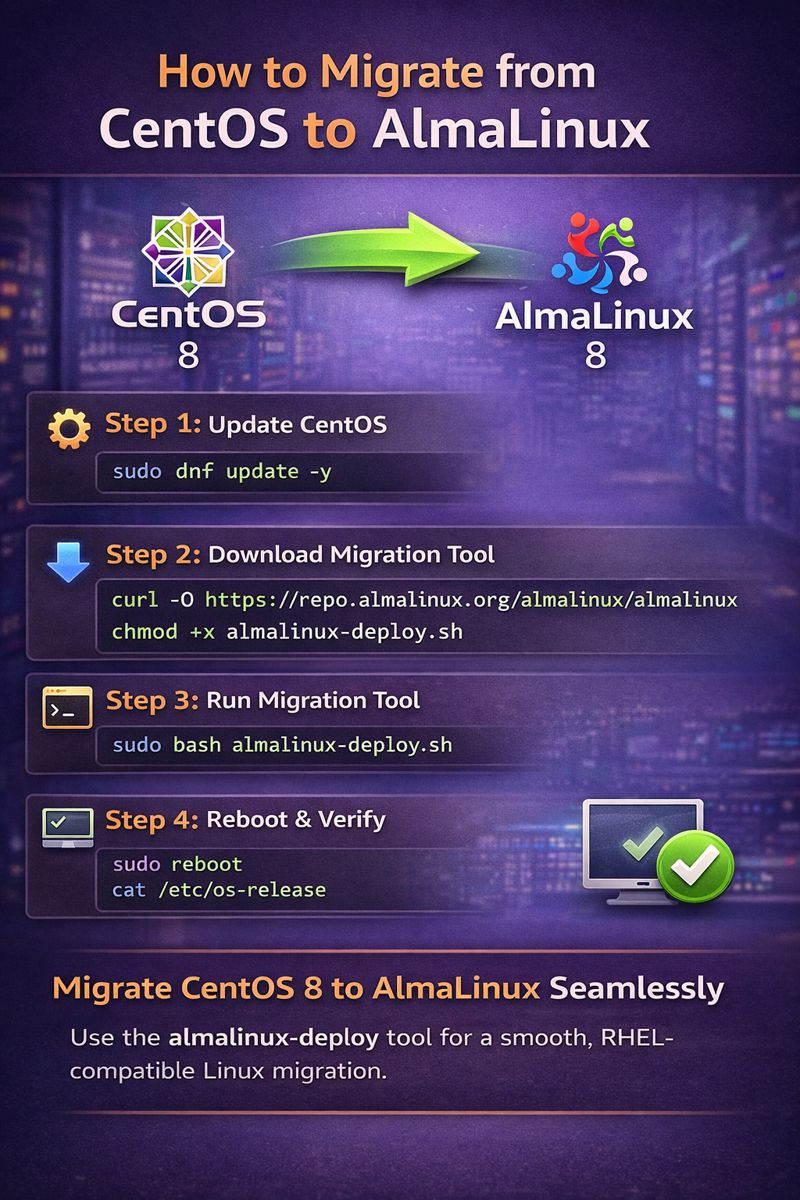
Migrating from CentOS to AlmaLinux is a relatively simple process, thanks to the AlmaLinux-deploy tool. This tool allows users to migrate seamlessly without requiring a full reinstallation. Below is a step-by-step guide on how to perform the migration.
Prerequisites
- A CentOS 8 server: This guide applies to CentOS 8 as CentOS 7 still has support until 2024.
- Root or sudo access to the server.
- An active internet connection to download the migration tool and packages.
Step-by-Step Migration Guide
Step 1: Update Your CentOS System
Before starting the migration process, ensure that your CentOS system is up-to-date. Open your terminal and run:
sudo dnf update -yThis will ensure that all existing packages are updated to the latest versions, reducing the risk of conflicts during the migration.
Step 2: Download the AlmaLinux Migration Tool
The AlmaLinux team has provided an automated migration tool to make the process seamless. Download the AlmaLinux-deploy script by running:
curl -O https://repo.almalinux.org/almalinux/almalinux-deploy.shAfter downloading, make the script executable:
chmod +x almalinux-deploy.shStep 3: Run the Migration Tool
Now, execute the migration script with root privileges:
sudo bash almalinux-deploy.shThe script will begin by detecting the current CentOS version and then downloading the necessary AlmaLinux packages. It will replace CentOS-specific packages with AlmaLinux equivalents while keeping your configuration files and installed applications intact.
Note: This process may take some time depending on your server’s resources and network speed.
Step 4: Reboot the System
Once the migration script completes, it will prompt you to reboot the system. Rebooting finalizes the migration to AlmaLinux:
sudo rebootStep 5: Verify the Migration
After rebooting, verify that the migration was successful by checking the operating system information. You can do this by running:
cat /etc/os-releaseThe output should indicate that you are now running AlmaLinux.
Post-Migration Tasks
After migrating to AlmaLinux, you may want to perform the following tasks:
- Check for AlmaLinux Updates: Run
sudo dnf updateto ensure that all packages are up-to-date. - Verify Installed Services: Check that all critical services are running smoothly.
- Update Repositories: AlmaLinux may use different repositories than CentOS. Verify that your software repositories are correctly configured by inspecting the files in
/etc/yum.repos.d/. - Remove Unused Packages: After migration, some CentOS packages may be outdated or unused. Run
sudo dnf autoremoveto clean up unnecessary packages.
Benefits of Using AlmaLinux
AlmaLinux provides several benefits over CentOS Stream for users who prefer a stable, predictable release model. Some of these benefits include:
- Long-Term Support: AlmaLinux commits to providing long-term support, which makes it a dependable choice for production environments.
- Community-Driven Development: AlmaLinux is maintained by the community, with regular contributions and updates to keep it secure and stable.
- Compatibility with RHEL: AlmaLinux provides full binary compatibility with RHEL, allowing for seamless compatibility with RHEL-based applications and services.
Conclusion
AlmaLinux is a robust, reliable alternative to CentOS that provides a stable, RHEL-compatible platform without the shift to a rolling-release model. Migrating from CentOS to AlmaLinux is straightforward and can be accomplished with minimal downtime using the AlmaLinux-deploy script. By following the steps in this guide, you can easily transition to AlmaLinux and continue benefiting from a stable, community-driven Linux distribution that’s ready for production use.
With AlmaLinux, you gain access to a reliable, enterprise-grade OS that supports your workloads and is backed by a strong community. Embrace the future with AlmaLinux and keep your systems running smoothly!